Best Laptop for SolidWorks
Disclosure: Some links may earn us a commission at no extra cost to you. We recommend products based on usefulness, fit, and research.
The best laptop for SolidWorks is usually not the thinnest laptop with the highest-looking spec sheet. SolidWorks rewards a balanced mobile workstation: strong single-core CPU performance, enough RAM for the size of your assemblies, fast SSD storage, a stable graphics driver, and cooling that can hold performance after the first few minutes of work.
If your work is mostly 2D drafting, layouts, and AutoCAD files rather than large SolidWorks assemblies, compare the best laptop for AutoCAD choices before paying for a heavier mobile workstation.
For professional SolidWorks users, start with a mobile workstation such as the Lenovo ThinkPad P16, HP ZBook Fury, or Dell Pro Max 16 Plus. For users who travel more and work on moderate parts or assemblies, a thinner workstation such as the Lenovo ThinkPad P1 can make more sense. A creator laptop such as the ASUS ProArt P16 can be useful for mixed CAD, rendering, and visual work, but it should be treated differently from a certified workstation laptop.
If you do not truly need portability, also compare these choices against a desktop workstation. A desktop often gives better sustained performance, easier upgrades, quieter cooling, and more value for large assemblies or rendering. See our CAD desktop workstation guide if your computer will mostly stay at one desk.
Quick picks
| Laptop | Best for | Why it fits SolidWorks | CTA |
|---|---|---|---|
| Lenovo ThinkPad P16 Gen 3 | Heavy SolidWorks work and large assemblies | Workstation-class 16-inch platform, professional GPU options, high memory/storage ceilings, and a better fit for demanding CAD than thin consumer laptops. | View current price |
| HP ZBook Fury G1i / G11 | Expandable mobile workstation users | HP positions the Fury as a high-performance mobile workstation with desktop-class Intel HX CPU options, professional NVIDIA RTX PRO graphics, and high RAM/storage ceilings. | View current price |
| Dell Pro Max 16 Plus MB16250 | Premium Dell workstation-family option | A current Dell mobile workstation-class option for users who want strong CPU/GPU configurations in a 16-inch format. | View current price |
| Lenovo ThinkPad P1 Gen 8 | Portable workstation users | A lighter workstation-style laptop for users who need mobility and moderate SolidWorks performance more than maximum expandability. | View current price |
| ASUS ProArt P16 H7606 | Mixed CAD, rendering, and creator work | A creator-focused alternative with strong CPU/GPU/display options, but it needs a certification caveat for SolidWorks users who rely on workstation drivers. | View current price |
What SolidWorks needs from a laptop
SolidWorks does not use laptop hardware the same way a game or video editor does. Many modeling actions care heavily about CPU responsiveness and sustained clock speed. Large assemblies care about RAM, storage speed, graphics stability, and the way the machine behaves after an hour of work. Rendering and simulation can lean harder on CPU cores, GPU resources, and memory.
The official SOLIDWORKS system requirements list 16 GB RAM as a baseline and 32 GB as recommended for current releases, with SSD storage recommended for optimal performance. That does not mean every serious user should stop at 32 GB. It means 32 GB is a practical floor for many professional users, while large assemblies, simulation, rendering, and multitasking often justify 64 GB or more.
Graphics are the place where many laptop buyers make the wrong choice. A GeForce laptop can run SolidWorks for many users, especially for learning, hobby work, or lighter modeling. But professional users should pay attention to certified workstation GPUs and driver support. The SOLIDWORKS hardware certification database exists for this reason: it helps users find tested workstation and graphics-card combinations.
If you are already troubleshooting performance, check whether your current issue is really hardware. Our guides on why SolidWorks is running slow, making SolidWorks run faster, and using SolidWorks RX can help you separate settings, driver, file, and hardware problems before buying a new computer.
Mobile workstation vs gaming laptop vs creator laptop
A mobile workstation is the safest recommendation for professional SolidWorks work because it is built around business support, professional GPUs, driver validation, docking, serviceability, and ISV certification. That does not automatically make it the fastest laptop for every benchmark, but it reduces risk when the laptop is a production tool.
A gaming laptop can look attractive because it may offer a fast CPU and a powerful GeForce GPU for less money. The tradeoff is that gaming laptops are optimized for game performance, not necessarily SolidWorks driver stability, quiet long-session productivity, certified graphics, docking, serviceability, or business support. They can be reasonable for students and budget-constrained users, but they are not the first choice for a business that depends on SolidWorks every day.
A creator laptop sits between those worlds. Laptops such as the ASUS ProArt P16 can offer strong CPU/GPU performance, excellent displays, and good portability. They make sense for users who split time between SolidWorks, rendering, Adobe apps, visualization, and presentations. The caveat is certification: if your workflow depends on certified SolidWorks graphics behavior, check the exact GPU and laptop model before treating a creator laptop like a workstation.
Best overall mobile workstation for SolidWorks: Lenovo ThinkPad P16 Gen 3
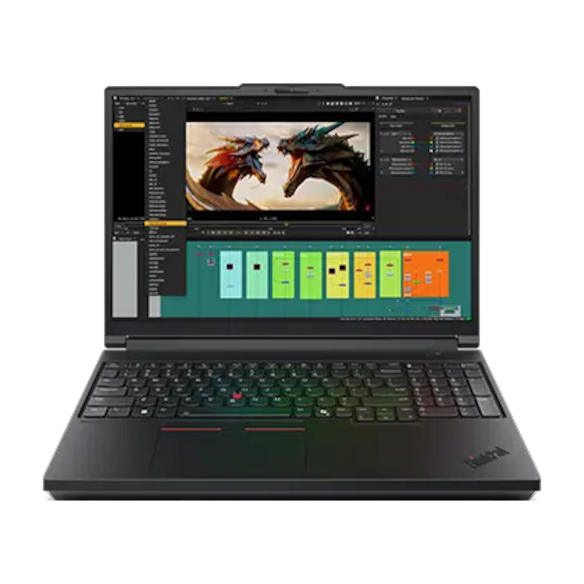
The Lenovo ThinkPad P16 Gen 3 is the safest starting point for a serious SolidWorks laptop shortlist. It is a heavy-duty mobile workstation, not a thin lifestyle notebook. That matters because SolidWorks performance is not just about the first benchmark run. It is about the laptop staying stable while you open large assemblies, switch drawings, rebuild parts, manage references, and work with external displays.
The current Lenovo PSREF spec sheet positions the ThinkPad P16 Gen 3 around Intel Core Ultra HX Series 2 processors up to 24 cores, NVIDIA RTX PRO 1000 through 5000 Blackwell graphics options, up to 192 GB non-ECC or 128 GB ECC memory, and up to 12 TB of storage. That is the kind of spec ceiling that makes sense for users who need a laptop but still want workstation-class headroom.
Choose this type of laptop if you work with larger assemblies, simulation, drawings, complex part trees, or mixed CAD and rendering. It is also a good fit if your employer values business support, standardized hardware, and workstation-class manageability.
The tradeoff is size, weight, price, and battery reality. Lenovo lists a starting weight around 5.6 lb, so this is portable in the sense that you can move it between office, home, customer site, and shop floor. It is not the same kind of portable as an ultrabook. Expect to use the power adapter for serious work.
Best expandable workstation option: HP ZBook Fury G1i / G11

The HP ZBook Fury G1i / G11 family is a strong fit for SolidWorks users who want a professional mobile workstation with room to grow. HP’s current ZBook Fury positioning emphasizes desktop-class Intel Core Ultra HX options, professional NVIDIA RTX PRO Blackwell laptop GPU options, ISV certification, high memory ceilings, high storage capacity, and workstation-style ports.
That combination is useful for SolidWorks users who are not just sketching small parts. If your work includes larger assemblies, rendering, visualization, simulation, or frequent multitasking between SolidWorks, drawings, browser tabs, PDM, and office software, the Fury-style workstation category makes sense.
The practical reason to consider the ZBook Fury is expandability. A laptop with a high RAM ceiling and high storage capacity can stay useful longer as assemblies grow. That matters in engineering because file size rarely moves downward over time. Drawings get more sheets, assemblies gain more references, and customers send larger datasets.
The tradeoff is the same as with other high-end workstation laptops: this is a serious machine with serious cost, weight, and power requirements. It is a mobile workstation, not a casual travel laptop.
Best Dell workstation-family option: Dell Pro Max 16 Plus MB16250

The workbook seed list included the Dell Precision 5690, but the safer current draft recommendation is the Dell Pro Max 16 Plus MB16250. Dell’s workstation branding and product lines have shifted, and the exact current Precision-equivalent needs verification before publishing. For this draft, the Pro Max 16 Plus is the Dell-family workstation option to research first.
Dell’s official configuration page positions the Pro Max 16 Plus MB16250 as a 16-inch mobile workstation-class system with Intel Core Ultra 5, 7, and 9 HX options, NVIDIA RTX PRO 1000 through RTX PRO 5000 Blackwell options, up to 128 GB RAM, and configurable storage options. That makes it a realistic candidate for SolidWorks users who want a Dell workstation-family laptop and do not want to jump to an even larger 18-inch machine.
Its likely role in the article is not “cheap laptop for SolidWorks.” It is a premium option for users who want a powerful all-in-one mobile workstation with strong display, port, and professional GPU options. It belongs in the same consideration set as the ThinkPad P16 and ZBook Fury, not in the same set as budget gaming laptops.
Before publishing, verify the exact product name, current Dell configuration, GPU, RAM ceiling, and Amazon availability. If Amazon results are weak or confusing, use a vendor/direct link strategy instead of forcing a bad affiliate listing.
Best portable workstation: Lenovo ThinkPad P1 Gen 8
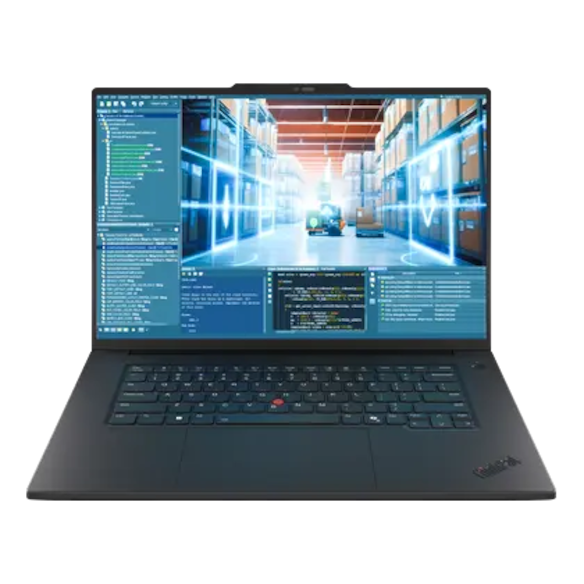
The Lenovo ThinkPad P1 Gen 8 is the laptop to consider when you want workstation DNA but do not want the bulk of a full heavy-duty mobile workstation. It is better suited to users who travel often, work between meetings, or need one machine for CAD, office work, and general engineering tasks.
The current Lenovo PSREF spec sheet lists Intel Core Ultra H Series 2 processors up to 16 cores, NVIDIA RTX PRO 1000 and 2000 Blackwell graphics options, up to 64 GB LPCAMM2 memory, up to 8 TB storage, and a starting weight around 4.06 lb. That makes it much more travel-friendly than a heavy workstation, but it also gives it a lower performance ceiling.
Choose the ThinkPad P1 category for moderate assemblies, part modeling, drawings, travel-heavy engineering work, and users who value portability. Avoid treating it as the best choice for the heaviest simulations, largest assemblies, or all-day rendering unless the exact configuration has been validated for that workload.
For many engineers, this is the more realistic laptop. The best laptop is not always the fastest one on paper; it is the one you can actually carry, dock, use, and support without fighting it every day.
Best creator-laptop alternative: ASUS ProArt P16 H7606

The ASUS ProArt P16 H7606 is not the same kind of recommendation as a ThinkPad P16, ZBook Fury, or Dell Pro Max workstation. It is a creator laptop alternative for users who split time between CAD, rendering, visualization, design review, and visual content work.
ASUS positions the ProArt P16 H7606 around AMD Ryzen AI 9 family processor options, NVIDIA GeForce RTX 50-series laptop GPU options, up to 64 GB RAM, up to 4 TB SSD storage, and a creator-focused 16-inch OLED display. That can be attractive for users who also work in rendering, image editing, video, or presentation-heavy workflows.
The caveat is important: a powerful GeForce GPU is not the same thing as a certified workstation GPU and driver stack. If your SolidWorks work is professional, customer-facing, production-critical, or tied to company IT standards, verify certification and driver support before using a creator laptop as your main CAD workstation.
This laptop category is best for mixed creative/CAD users, students who need one strong machine, or designers who care about display quality and visual work as much as pure workstation validation.
How much RAM do you need?
For SolidWorks, 16 GB should be treated as the minimum for current versions, not the comfort zone for professional work. If you are buying a new laptop for real SolidWorks use, 32 GB is a better baseline. For larger assemblies, simulation, rendering, PDM multitasking, and multiple external monitors, 64 GB is often the better target.
If you plan to dock the laptop most of the day, pair it with a sharp external monitor for SolidWorks so drawings, model edges, and side panels are easier to read.
More RAM does not magically make every rebuild faster. It prevents the machine from choking when files, drawings, browser tabs, reference documents, and background tools are open at the same time. If your system runs out of memory and starts leaning hard on disk, even a fast SSD cannot make the laptop feel like a proper workstation.
If you are not sure whether your current machine is memory-limited, use Task Manager, SolidWorks RX, and your actual project files. Do not judge from an empty part file. Open the assemblies and drawings you actually work on.
What CPU is best for a SolidWorks laptop?
SolidWorks modeling performance often benefits from strong per-core speed and sustained clocks. That is why a laptop’s cooling system matters. A CPU can look excellent in a spec sheet but still feel disappointing if the laptop cannot keep it cool under real engineering work.
For general part modeling and assemblies, prioritize a high-performance modern CPU and a chassis that can sustain it. For simulation and rendering, more cores become more valuable. For large assemblies, CPU, RAM, GPU, and storage all matter together.
The practical buying advice is simple: do not buy only by processor name. Compare the full platform. A workstation laptop with a slightly less flashy CPU but better cooling, RAM, GPU driver support, and serviceability may be a better SolidWorks machine than a thin laptop with a headline CPU.
Do you need a certified GPU?
If SolidWorks is your job, a certified workstation GPU is usually the safer choice. Certification does not mean nothing can ever go wrong, but it gives you a better-supported hardware and driver path. That matters when viewport issues, RealView, drawing display problems, or stability issues appear.
Our RealView graphics guide covers one visible example of why GPU support matters. A laptop may have a powerful GPU and still not behave like a certified workstation card in every SolidWorks feature or driver path.
For students, hobby users, or light modeling, a non-certified GPU may be acceptable. For businesses, production work, and paid client work, start with the certified path unless there is a strong reason not to.
SSD and storage advice
Buy a laptop with a fast NVMe SSD and enough room for your active projects. SolidWorks files, assemblies, drawings, simulation results, renders, and downloaded customer references can consume storage quickly. A 512 GB drive can feel cramped faster than expected. For a new professional laptop, 1 TB is a practical starting point, and 2 TB is more comfortable if you keep many projects local.
Fast storage also helps with opening files, loading references, Windows responsiveness, and paging if memory pressure gets high. It will not fix a weak CPU or bad graphics driver, but it is part of a good workstation baseline.
Display, docking, and desk setup
A good SolidWorks laptop should not be judged only by the laptop screen. Many users dock the laptop to external monitors, keyboard, mouse, 3D mouse, Ethernet, and storage. Check ports carefully. Thunderbolt, USB-C display support, HDMI, Ethernet, SD card slots, and dock compatibility can matter more than they seem when the laptop becomes your main workstation.
For screen size, 16 inches is a practical balance. It gives more room for feature trees, drawings, toolbars, and model viewing without becoming as awkward as the largest workstation laptops. If you work primarily at a desk, pair the laptop with a good external display instead of trying to do all detailed CAD work on the built-in screen.
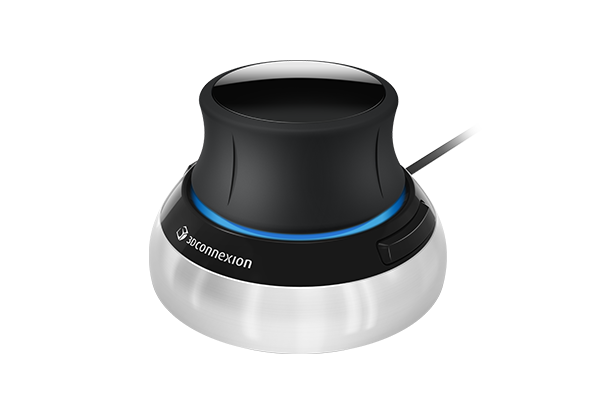
Also consider peripherals. A better CAD setup may include a dedicated mouse, keyboard, numpad, or 3D navigation device. See our guides to the best mouse for SolidWorks and CAD and best keyboard for CAD if you are building the whole workstation around the laptop.
If that 3D navigation device is the missing piece, compare the SpaceMouse for SolidWorks options before deciding between Compact, Wireless, Pro, or Enterprise models.
When a desktop workstation is the better choice
Do not buy a workstation laptop just because it sounds more flexible. If your work happens mostly at one desk, a desktop workstation can be the better SolidWorks computer. It may offer better cooling, more upgrade options, lower noise, better long-duration performance, and more value for the same budget.
Choose a laptop when you genuinely need to carry SolidWorks between office, home, customer sites, classrooms, or shop-floor reviews. Choose a desktop when performance, upgradeability, and comfort matter more than movement.
For many users, the best setup is a workstation laptop plus a dock, external monitor, full-size keyboard, and proper mouse. For heavier users, it may be a desktop workstation for primary CAD work and a lighter laptop for review, communication, and travel.
Comparison table
| Laptop type | Best fit | Main advantage | Main tradeoff |
|---|---|---|---|
| Heavy mobile workstation | Large assemblies, simulation, rendering, professional CAD users | Best support for pro GPUs, cooling, RAM, storage, and business workflows | Heavy, expensive, limited battery under load |
| Thin workstation | Travel-heavy engineers and moderate assemblies | Better portability with workstation positioning | Lower ceiling for cooling, GPU, and expansion |
| Creator laptop | Mixed CAD, rendering, visualization, Adobe, and presentation work | Strong display and creative performance | Certification and workstation-driver caveats |
| Gaming laptop | Students, budget buyers, and non-critical light CAD | High raw performance per dollar | Less predictable professional driver/certification path |
| Desktop workstation | Users who mostly work at one desk | Better value, thermals, upgrades, and sustained performance | Not portable |
FAQ
Can any laptop run SolidWorks?
Many modern Windows laptops can install and run SolidWorks, but that does not make them good SolidWorks laptops. For serious work, focus on RAM, CPU performance, SSD storage, GPU support, cooling, and driver stability.
Is 16 GB RAM enough for SolidWorks?
It can be enough for smaller parts and light use, but it is not the best target for a new professional laptop. For most real SolidWorks buyers, 32 GB is a better starting point, and 64 GB is worth considering for larger assemblies or heavier multitasking.
Should I buy a gaming laptop for SolidWorks?
A gaming laptop can work for some students and light users, but it is not the safest default for professional SolidWorks work. A mobile workstation with certified graphics and business support is usually the better choice when SolidWorks is part of your job.
Is a laptop or desktop better for SolidWorks?
A desktop is usually better for sustained performance, cooling, upgrades, and value. A laptop is better when you need to work in multiple locations. If you do not need portability, compare laptops against a desktop workstation before spending workstation-laptop money.
Do I need a 4K screen for SolidWorks?
No. A sharp 16-inch display is useful, but a 4K laptop screen is not required. Many users are better served by a good external monitor at their desk. Prioritize overall workstation performance and display comfort over resolution alone.
What is the best SolidWorks laptop for large assemblies?
Start with a heavy mobile workstation category such as the ThinkPad P16, HP ZBook Fury, or Dell Pro Max 16 Plus. Look for strong cooling, professional graphics, 64 GB or more RAM if your assemblies justify it, and enough SSD storage for active projects.
Bottom line
The best laptop for SolidWorks depends on whether you need maximum mobile workstation performance, travel-friendly portability, or a mixed CAD and creator workflow. For professional users, start with a true workstation laptop and verify the exact GPU, RAM, storage, and certification path before buying. For users who mostly work at one desk, do not ignore the desktop workstation option. It may be the better SolidWorks computer even if a laptop feels more flexible.
Sources and further reading
- SOLIDWORKS system requirements
- SOLIDWORKS hardware certification
- Autodesk AutoCAD 2026 system requirements
- HP ZBook Fury mobile workstation
- TechRadar on Lenovo ThinkPad P16 Gen 3
- The Verge on Lenovo ThinkPad P16 Gen 3 and ThinkPad P1 Gen 8
- TechRadar review of Dell Pro Max 16 Plus
- The Verge on ASUS ProArt P16 configurations