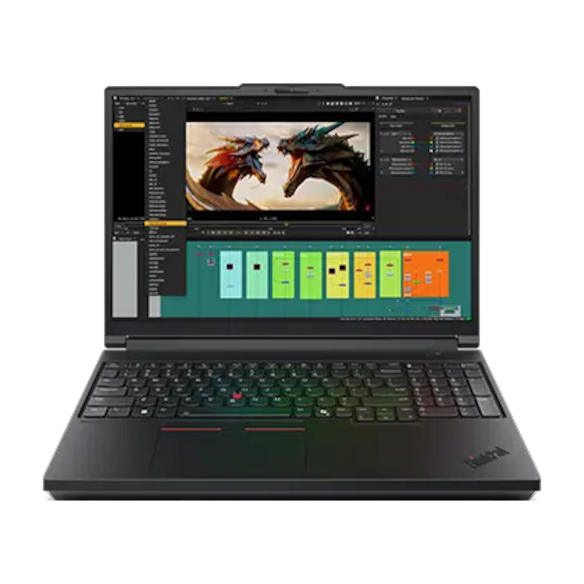
Best Laptop for AutoCAD
Disclosure: Some links may earn us a commission at no extra cost to you. We recommend products based on usefulness, fit, and research.
The best laptop for AutoCAD is not always the most expensive workstation on the shelf. AutoCAD rewards a fast modern processor, enough memory to keep drawings and reference files open, a sharp display, reliable storage, and a graphics setup that matches the kind of work you actually do. If most of your day is 2D drafting, annotation, sheet work, markups, and drawing cleanup, you can get an excellent experience without buying the heaviest mobile workstation. If you work with 3D models, point clouds, Civil 3D, large Xrefs, visualization, or other demanding design tools beside AutoCAD, extra RAM and a stronger GPU become much easier to justify.
This guide focuses on portable Windows laptops for AutoCAD users who want a sensible buying decision, not a spec race. It is different from our SolidWorks laptop guide, where the conversation leans more heavily toward 3D assemblies, certified workstation graphics, simulation, and rendering. It is also different from our CAD desktop workstation guide, because desktops can deliver more performance and upgrade room for the money if you do not need mobility.
For most AutoCAD buyers, the practical target is a current Intel Core Ultra, AMD Ryzen HS/HX, or comparable high-performance mobile CPU, 32 GB of RAM for serious daily work, a 1 TB SSD, and a 16-inch display with enough resolution to keep toolbars, model space, layouts, palettes, and reference material comfortable. A dedicated NVIDIA GPU is useful for 3D, visualization, and mixed CAD workflows, but it is not the first thing to overbuy for simple 2D drafting. Autodesk’s own AutoCAD 2026 system requirements give the baseline; this article translates that baseline into real buying choices.
Quick Picks
| Product | Best fit | Main tradeoff | Current price |
|---|---|---|---|
| ASUS ProArt P16 | AutoCAD users who also do rendering, content creation, or color-sensitive visual work | Premium creator-laptop pricing, onboard memory, and exact configuration matters | |
| Lenovo Legion Slim 5 | Best value performance choice for students, freelancers, and mixed 2D/3D work | Gaming styling and configuration spread; verify the exact model before buying | |
| Dell XPS 16 | Premium thin Windows laptop for AutoCAD, office work, and client-facing use | Less upgrade flexibility and fewer ports than a thicker workstation | |
| HP ZBook Power | Workstation-style choice for business users who value support, serviceability, and professional hardware options | Configurations vary widely; confirm GPU and memory before buying | |
| Razer Blade 16 | High-end AutoCAD plus rendering, visualization, gaming, or creative workloads | Very expensive and more laptop than many 2D AutoCAD users need |
How to choose a laptop for AutoCAD
Start with the kind of AutoCAD work you do most often. A drafter who spends the day in 2D floor plans, shop drawings, electrical layouts, fabrication details, and markups does not need the same machine as someone who opens large 3D models, scans, site models, or several design applications at once. AutoCAD can run on modest hardware, but a money-page buying decision should not aim for minimum requirements. It should aim for a smooth daily workflow over several years.
CPU performance matters because AutoCAD still feels very responsive when single-core and turbo performance are strong. A modern Core Ultra or Ryzen HS/HX processor is usually a better signal than a huge number of low-power cores. Look for a laptop that can sustain performance under load, not just one that advertises a high boost clock. Thin premium laptops can be excellent for everyday drafting, but some will slow down sooner than thicker performance laptops during long rendering, export, or multitasking sessions.
Memory is the easiest area to underestimate. Autodesk lists 8 GB as a basic memory figure and 32 GB as a recommended figure for AutoCAD 2026. For casual student work, 16 GB can be acceptable, especially if the drawings are small and the laptop is not running many other tools. For professional AutoCAD work, 32 GB is the more comfortable target. It lets you keep AutoCAD, a browser, PDF references, email, Excel, cloud storage, and communication tools open without constantly fighting memory pressure. If the laptop has soldered memory, choose the amount you expect to live with for the life of the machine.
The GPU decision depends on whether AutoCAD is only a drafting tool or part of a heavier design stack. For 2D drafting, integrated graphics on a high-quality laptop can be enough, though a discrete GPU gives more headroom. For 3D, visualization, multiple external monitors, Civil 3D, Revit, Navisworks, rendering tools, or mixed CAD/CAM work, a dedicated NVIDIA GPU is easier to justify. If your work is closer to SolidWorks, assemblies, or simulation, read the SolidWorks laptop guide before buying because the priorities shift.
Storage should be boring and fast. A 1 TB SSD is the safest starting point for most users. CAD projects accumulate PDFs, Xrefs, exports, manufacturer files, point clouds, screenshots, install packages, and backups. A 512 GB drive can work for school or light work, but it fills quickly. If you use cloud syncing, keep enough local space for offline projects and sync caches. If the laptop has two M.2 slots, that is useful for future expansion.
The display is not only about resolution. AutoCAD users live with tool palettes, command line feedback, layouts, model space, PDF references, and sometimes a video call or browser window beside the drawing. A 16-inch 16:10 screen is a strong laptop size because it gives more vertical space than older 16:9 panels. A 2560 x 1600 or higher display can feel more comfortable than 1080p, but very high resolution also increases scaling considerations. If you spend most of your day docked, pair the laptop with a good external CAD monitor; our CAD monitor advice is useful even if your main software is AutoCAD.
Ports and thermals matter more than spec sheets suggest. A laptop that needs a pile of adapters for Ethernet, HDMI, USB-A peripherals, drawing tablets, docks, scanners, and external drives can become annoying fast. If you work on site, at school, or between offices, battery life and charger size also matter. Performance laptops with powerful GPUs are usually heavier, louder, and shorter-lived on battery than premium productivity laptops. That tradeoff is acceptable for some users and wasteful for others.
ASUS ProArt P16

The ASUS ProArt P16 is the best fit here for AutoCAD users who also care about visual work. If AutoCAD is part of a broader workflow that includes rendering, Photoshop, Illustrator, video editing, presentations, or client visuals, the ProArt P16 makes more sense than a basic business laptop. ASUS positions the ProArt line as creator-focused, and the official ProArt P16 specifications include AMD Ryzen AI 9 HX 370 configurations, NVIDIA GeForce RTX laptop GPU options, fast onboard memory, and 16-inch OLED display options.
For AutoCAD, the appeal is the balance. You get a strong modern CPU, discrete GPU headroom, a high-quality screen, and a chassis aimed at creative professionals rather than pure gaming. That makes it easier to recommend to architects, interior designers, product designers, and freelancers who use AutoCAD during the day but also prepare visuals, client decks, or marketing assets. It is not the cheapest way to run AutoCAD, but it can be a clean one-laptop setup for people who need both drafting and visual polish.
The main caution is configuration. ProArt P16 listings can vary by GPU, storage, memory, seller, included accessories, and model suffix. Because memory is onboard, you should not buy a low-memory configuration assuming you can upgrade it later. For serious AutoCAD work, 32 GB is the practical floor. If the exact listing has an RTX 5070-class GPU, 32 GB RAM, and a 1 TB or 2 TB SSD, it is a strong fit for AutoCAD plus design work. If the listing is a custom reseller configuration, check the warranty, return terms, and exact model number before treating it like a standard retail SKU.
Lenovo Legion Slim 5
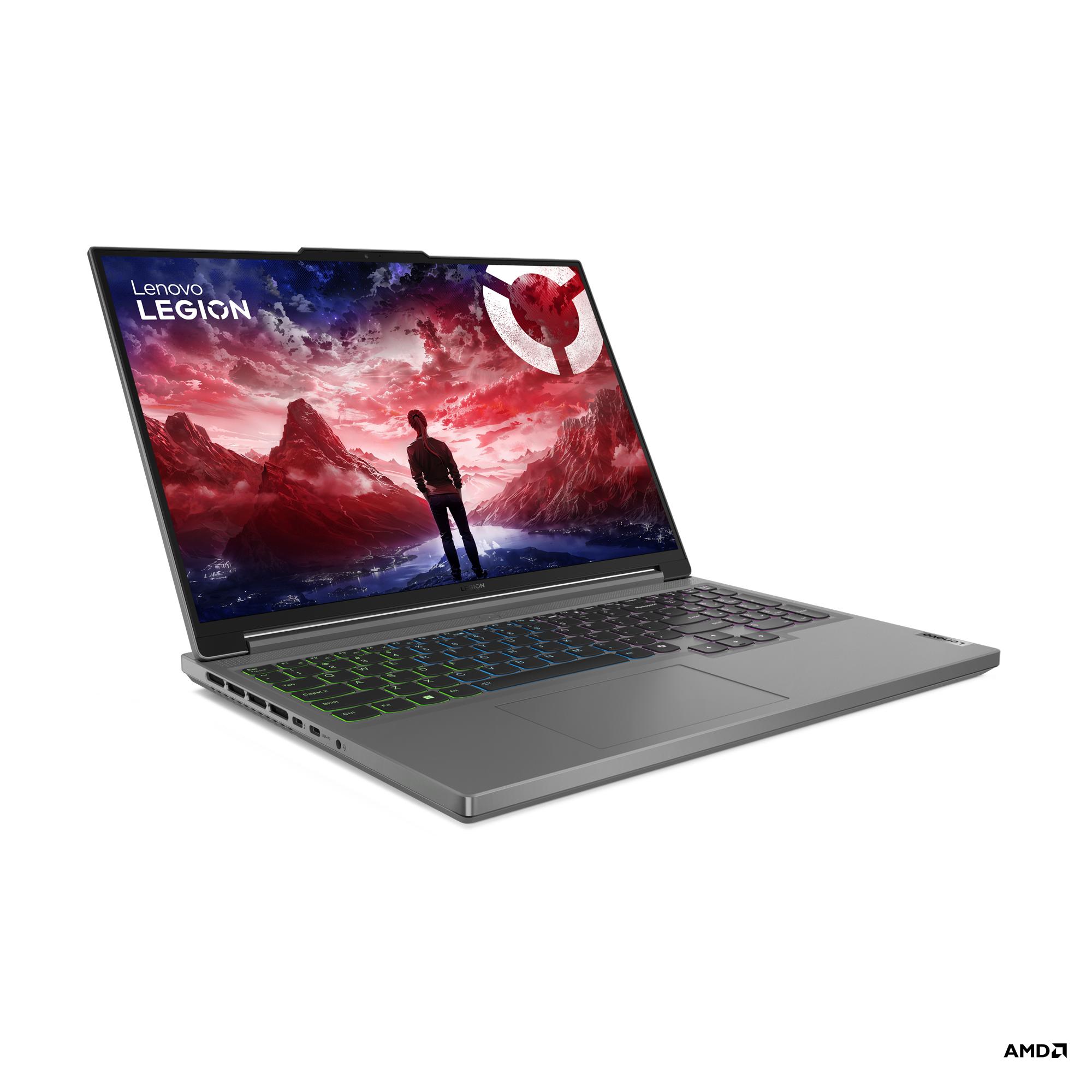
The Lenovo Legion Slim 5 is the value-performance pick. It is marketed as a gaming laptop, but that is not automatically a problem for AutoCAD. Many gaming laptops offer exactly what AutoCAD users want: strong CPUs, discrete NVIDIA graphics, fast displays, good cooling, and better prices than workstation-branded machines. The official Lenovo PSREF for current Legion Slim 5 16AHP9 configurations shows Ryzen 7 8845HS options, RTX 4070-class graphics, DDR5 memory through SODIMM slots, and dual M.2 NVMe storage support depending on model.
That combination is attractive for students, freelance drafters, and users who split time between AutoCAD, light 3D, rendering, school projects, and general computing. A Legion Slim 5 with 32 GB or more RAM and an RTX 4060 or RTX 4070 can be more than enough for many AutoCAD workflows. It gives you more performance headroom than a thin office laptop without jumping to the cost of a premium workstation.
The tradeoff is polish. A Legion is not as discreet as a Dell XPS, HP ZBook, or business-class ThinkPad. Battery life under CAD loads will not match a low-power ultrabook. Some configurations ship with 16 GB of RAM, which can be workable but is not ideal for a professional AutoCAD machine unless you plan to upgrade. The name also spans several generations and configurations, so do not buy based on the words “Legion Slim 5” alone. Confirm the exact CPU, GPU, RAM, storage, display, and return policy.
If you want one laptop for AutoCAD, school, occasional gaming, and general performance, this is one of the more practical directions. If you need official workstation positioning, enterprise support, or a less gaming-oriented design, the HP ZBook Power is the better comparison.
Dell XPS 16

The Dell XPS 16 is the premium portability pick for AutoCAD users who want a refined Windows laptop that can handle drafting and still look appropriate in a meeting. It is not the best value if you only care about performance per dollar, but it can be the right machine for consultants, designers, and professionals who split time between AutoCAD, office work, client presentations, travel, and everyday productivity.
The official Dell XPS 16 9640 information shows Core Ultra processor options, NVIDIA RTX options on some configurations, high-resolution display choices, and premium storage/memory configurations. For AutoCAD, the important point is to choose the right version. An XPS 16 with integrated graphics and 16 GB RAM is a different recommendation from an XPS 16 with a discrete RTX GPU and 32 GB RAM. If you want this as a serious AutoCAD laptop, prioritize 32 GB RAM, a 1 TB SSD, and a discrete GPU configuration when available.
The XPS 16 is best for users who want a quieter, cleaner, more polished machine than a gaming laptop. It is comfortable for drafting, PDFs, project management, and office work. It also pairs well with an external monitor and dock. The limitations are typical premium-thin-laptop limitations: fewer ports, less internal upgrade flexibility, and less sustained performance headroom than a thicker performance laptop. If you need long heavy rendering runs, larger 3D workloads, or workstation support, compare it against the ZBook Power or a desktop workstation.
There is one important buying caution: XPS 16 listings can be confusing. Some product pages refer to the 9640 generation; others use broader “XPS 16” wording or newer configurations. Do not assume every XPS 16 listing has the same GPU. The final article should only make RTX-specific recommendations after the exact Amazon listing confirms the GPU.
HP ZBook Power
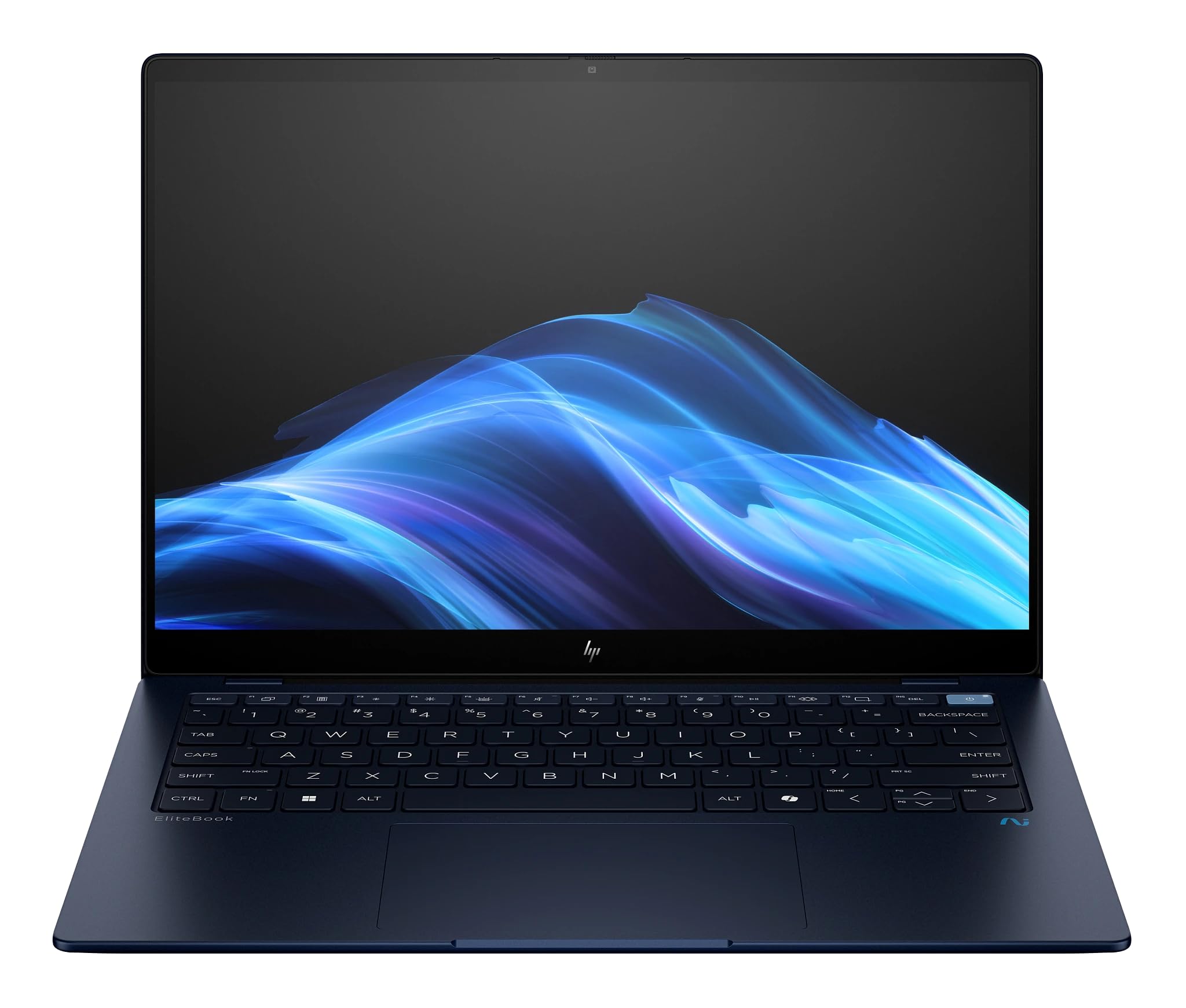
The HP ZBook Power is the workstation-style option. It is the machine to consider when AutoCAD is part of paid professional work and you care about business support, serviceability, workstation positioning, and configurations that are meant for engineering, design, and technical users. HP’s official ZBook Power page positions the line for CAD and 3D work, with Intel and AMD variants, professional graphics options, and upgradeable memory configurations depending on the exact model.
This is not automatically the fastest laptop for the money. A gaming laptop may offer more raw GPU power at a lower price. The ZBook Power is about a different kind of value: a more business-focused chassis, workstation branding, better fit for office purchasing, and potentially better support for professional environments. If you are buying for a company, need Windows 11 Pro, care about docks and IT standards, or want a laptop that feels less like a gaming machine, this is a sensible direction.
For AutoCAD, a ZBook Power with 32 GB RAM, a 1 TB SSD, and a professional NVIDIA GPU can be a comfortable daily driver. It is especially reasonable for users who work with 2D drafting, 3D models, architectural drawings, PDFs, Excel, and other business tools all day. The ability to configure or upgrade memory is a major advantage over many premium thin laptops.
The caution is that ZBook Power listings vary widely. Some have integrated graphics. Some have entry professional GPUs. Some have stronger workstation graphics. The exact G11 versus G11 A model matters, and the final listing needs to be checked carefully before publishing. If the listing’s GPU evidence is inconsistent, do not write public copy that relies on a specific RTX or Ada GPU claim.
Razer Blade 16
The Razer Blade 16 is the high-end pick, not the practical default. It makes sense if AutoCAD is only one part of a heavier laptop workload that includes rendering, visualization, GPU-accelerated creative tools, gaming, streaming, or other demanding software. Razer’s official Blade 16 page emphasizes high-end processors, RTX graphics, fast memory, and OLED display options in a thin premium chassis. That is impressive, but many 2D AutoCAD users do not need to spend this much.
For the right user, the Blade 16 can be excellent. It offers a premium screen, strong CPU performance, powerful NVIDIA graphics, and a compact build compared with many heavy performance laptops. If you want one machine for AutoCAD during the day and high-end graphics workloads after hours, it can be appealing. It also avoids the bulky look of some gaming laptops, even though it is still clearly a performance machine.
The value caution is important. A Razer Blade 16 can cost far more than a Legion Slim 5 while offering more performance than most AutoCAD drafting work will use. It also uses fixed memory configurations, so you need to buy enough RAM up front. If you mainly create 2D drawings, revise plans, work with PDFs, and occasionally view simple 3D geometry, this is overkill. If your work overlaps heavily with rendering, animation, real-time visualization, or GPU-heavy software, the extra cost becomes easier to understand.
Buy this for AutoCAD only if the rest of your workload justifies it. Otherwise, the Legion Slim 5, Dell XPS 16, or HP ZBook Power will usually be the more grounded choice.
Comparison Table
| Laptop | Best reason to choose it | AutoCAD fit | Watch out for |
|---|---|---|---|
| ASUS ProArt P16 | Creator-grade screen and balanced performance | Strong for AutoCAD plus visual/design work | Onboard memory and seller-specific configurations |
| Lenovo Legion Slim 5 | Performance value | Strong for students, freelancers, and mixed 2D/3D workloads | Gaming styling and exact generation/configuration spread |
| Dell XPS 16 | Premium thin Windows laptop | Good for AutoCAD plus office/client work when configured well | Limited ports, less upgrade flexibility, and GPU confusion between listings |
| HP ZBook Power | Business/workstation positioning | Good for professional AutoCAD users who value support and serviceability | GPU and model variants must be checked carefully |
| Razer Blade 16 | High-end CPU/GPU performance in a premium chassis | Excellent when AutoCAD is paired with rendering or creative workloads | High price and overkill for ordinary 2D drafting |
What specs do you really need for AutoCAD?
If you want the safest general recommendation, buy a laptop with a current high-performance CPU, 32 GB RAM, a 1 TB SSD, a 16-inch display, and a dedicated NVIDIA GPU if your budget allows. That does not mean every AutoCAD user needs a high-end GPU. It means that a laptop is a long-term purchase, and the comfortable professional target is higher than the minimum software requirement.
For light student work, 16 GB RAM and integrated graphics can work if the laptop is otherwise modern. For daily professional drafting, 32 GB RAM is much easier to recommend. For larger drawings, multiple Xrefs, Civil 3D, point clouds, Revit coordination, or rendering, 32 GB should be treated as the starting point rather than the upgrade. If you routinely work with heavy data, consider 64 GB where the laptop supports it.
External workflow matters too. A laptop that is good enough on paper may feel cramped if the display is poor, the keyboard is uncomfortable, or the ports do not match your setup. Many AutoCAD users are more productive with a dock, external monitor, mouse, keyboard, and backup plan. If your current problem is input comfort rather than raw performance, our CAD mouse guide and CAD keyboard guide may help more than buying a faster laptop.
FAQ
Is 16 GB RAM enough for AutoCAD?
It can be enough for students, light 2D drafting, and smaller drawings. For professional daily use, 32 GB is the better target because AutoCAD is rarely the only app open. If the laptop has soldered memory, buy the amount you expect to need for the life of the laptop.
Do I need a dedicated GPU for AutoCAD?
Not always. For basic 2D drafting, a modern laptop with integrated graphics can be usable. A dedicated GPU becomes more valuable for 3D work, large models, visualization, multiple monitors, Civil 3D, rendering, and mixed CAD workflows.
Is a gaming laptop good for AutoCAD?
A good gaming laptop can be excellent for AutoCAD because it usually has a strong CPU, dedicated GPU, fast storage, and better cooling than many thin office laptops. The tradeoffs are battery life, weight, fan noise, styling, and business support.
Is a workstation laptop better than a gaming laptop for AutoCAD?
A workstation laptop is better when you care about business support, workstation graphics options, office purchasing standards, serviceability, and professional positioning. A gaming laptop can be better value if you mainly want raw performance for the money.
Should I buy a laptop or desktop for AutoCAD?
Buy a laptop if you need portability for school, site visits, travel, client meetings, or moving between home and office. Buy a desktop if the machine will stay in one place and you want the most performance, cooling, upgrade room, and monitor flexibility for the money. See the CAD desktop workstation guide if portability is not required.
Bottom line
For most AutoCAD users, the Lenovo Legion Slim 5 is the strongest value direction, the ASUS ProArt P16 is the better choice for AutoCAD plus visual creative work, the Dell XPS 16 is the premium portable option, the HP ZBook Power is the more business/workstation-style choice, and the Razer Blade 16 is the high-end option for users whose work goes beyond normal drafting. The right choice depends less on the AutoCAD logo and more on your actual workflow: 2D drafting, 3D modeling, large files, travel, display needs, and whether you also use other demanding CAD or creative software.
If you are unsure, start with the practical baseline: modern high-performance CPU, 32 GB RAM, 1 TB SSD, comfortable 16-inch display, and a dedicated GPU if you do 3D or broader design work. Then decide whether you want value, portability, workstation support, creator display quality, or maximum performance.