Best Monitor for AutoCAD
Disclosure: Some links may earn us a commission at no extra cost to you. We recommend products based on usefulness, fit, and research.
The best monitor for AutoCAD is usually a clear, comfortable work screen rather than a flashy gaming display. AutoCAD users spend long sessions reading thin linework, checking dimensions, managing layer-heavy drawings, comparing PDFs, moving between layouts, and keeping tool palettes open. A monitor that looks impressive in a game benchmark can still be awkward for drafting if the text is soft, the stand is poor, the screen is too small, or the connectivity makes your desk messy.
For most AutoCAD users, start with a 27-inch or 32-inch 4K IPS monitor. A 27-inch 4K screen gives sharp text and linework without taking over the desk. A 32-inch 4K screen gives more physical room for palettes, sheet views, reference drawings, and browser or PDF windows. USB-C docking is valuable if you use a laptop. Good ergonomics matter because a monitor that cannot sit at the right height can make a full drafting day feel longer than it should.
If that USB-C monitor will be connected to a portable workstation, the AutoCAD laptop guide explains which CPU, RAM, display, and portability tradeoffs matter before you build the rest of the desk around it.
This guide focuses on monitors that make sense for AutoCAD and general CAD workstation use. If you also run SolidWorks, Inventor, Fusion, or other 3D tools, the same buying logic still helps, but you may care more about graphics stability and workstation hardware. For a broader mechanical CAD setup, see our best monitor for SolidWorks, CAD desktop workstation, and CAD mouse guides.
Quick picks
| Monitor | Best fit | Main tradeoff | Current price |
|---|---|---|---|
| BenQ PD2706U | Best overall 27-inch AutoCAD monitor | Costs more than basic office monitors and is not as spacious as a 32-inch screen. | |
| BenQ PD3205U | Best 32-inch 4K monitor for AutoCAD drawings | Large footprint; 32-inch 4K is comfortable for many users but may need deeper desk distance. | |
| Dell UltraSharp U2723QE | Best USB-C hub monitor for AutoCAD office workstations | Office and productivity strengths matter more than CAD-specific display modes. | |
| ASUS ProArt PA279CRV | Best color-focused AutoCAD monitor under a practical budget | A 27-inch 4K creative monitor, not a gaming display or a huge drawing board. | |
| LG 27UP850-W | Best value 27-inch 4K USB-C monitor for mixed AutoCAD use | Less specialized for CAD than the BenQ and less hub-heavy than the Dell. |
Short answer
The BenQ PD2706U is the safest overall pick for many AutoCAD users because it combines a 27-inch 4K panel, CAD/CAM mode, USB-C docking, factory color modes, and a desk-friendly size. It is a practical monitor for people who draft all day but do not want a huge screen.
The BenQ PD3205U is the better choice when you want a larger 32-inch 4K workspace. It gives you more physical room for palettes, model space, layouts, PDF references, spreadsheets, and side-by-side windows. If you often feel cramped on a 24-inch or 27-inch monitor, a 32-inch 4K panel can be a meaningful upgrade.
The Dell U2723QE is the best fit when the monitor also needs to act as a clean office hub. It is especially useful for laptop-based AutoCAD workstations because USB-C power delivery, hub connectivity, and Dell’s UltraSharp ergonomics can reduce desk clutter. The ASUS ProArt PA279CRV is strongest when AutoCAD is part of a broader visual workflow with renderings, presentation boards, Adobe files, and color-sensitive exports. The LG 27UP850-W is the value pick when you want 27-inch 4K clarity, USB-C, and an adjustable stand without paying for the most specialized professional display.
What AutoCAD needs from a monitor
AutoCAD is not mainly a refresh-rate problem. Most drafting work is static or slow-moving compared with gaming, so a 60 Hz professional or office monitor can still be an excellent CAD screen. The priorities are text clarity, line clarity, usable workspace, color that is good enough for drawings and presentations, stable connectivity, and a stand that keeps the screen comfortable for hours.
Resolution is the first decision. A 4K monitor gives AutoCAD more room for drawing space, palettes, command line, properties, sheet tabs, PDFs, and browser references. On a 27-inch screen, 4K gives sharp text and dense linework. On a 32-inch screen, 4K gives more comfortable physical size while still staying crisp. If you are still on a 1080p monitor, moving to 4K can feel like clearing fog from dimensions and annotation text.
Size is the second decision. A 27-inch 4K display is a strong default because it fits most desks and works well with a laptop or second monitor. A 32-inch 4K display is better if you want one main drafting canvas and enough room to keep supporting windows visible. Ultrawide monitors can be useful for timelines and side-by-side apps, but for AutoCAD linework, a clean 16:9 4K panel is often easier to recommend because scaling, screenshots, remote meetings, and sheet checking are predictable.
Ergonomics are not optional. Height adjustment, tilt, swivel, and VESA mount support can matter as much as color gamut. AutoCAD users spend long stretches in the same posture. If the monitor sits too low, too high, or too close, the best panel specs will not save the workstation. A monitor arm can help, especially with a second display, but a good built-in stand is still valuable.
27-inch vs 32-inch for AutoCAD
A 27-inch 4K monitor is the best starting point for many AutoCAD users. It gives excellent pixel density, fits on ordinary desks, and pairs nicely with a laptop or second display. If you work in an office where desk depth is limited, a 27-inch screen is easier to position correctly. It is also easier to run as a dual-monitor setup without turning your head too far.
A 32-inch 4K monitor is better when you want one large main workspace. It gives dimensions, palettes, browser references, PDFs, and floating windows more physical room. That can be useful for architectural plans, mechanical layouts, electrical drawings, civil details, and any workflow where you constantly compare a drawing to another document.
The tradeoff is distance. A 32-inch monitor needs more desk depth and a little more head movement. If you sit too close, the corners can feel far away. If your desk is shallow, a 27-inch screen or a monitor arm may be more comfortable. The right size is the one that lets you see the drawing clearly without leaning, squinting, or constantly resizing AutoCAD panels.
USB-C, docking, and laptop CAD setups
USB-C is not required for AutoCAD, but it is very useful if you draft from a laptop. A good USB-C monitor can carry display signal, charge the laptop, and connect peripherals through one cable. That turns the monitor into the center of the desk: keyboard, mouse, external drive, webcam, Ethernet adapter, and sometimes a second display can stay connected while the laptop comes and goes.
This matters because many AutoCAD users do not sit at a single desktop tower anymore. They move between office, home, site, school, meeting rooms, and client reviews. A clean docked setup makes it easier to use a mobile workstation as a real desk computer. If your laptop also runs SolidWorks or other 3D CAD, check the hardware side carefully; our laptop workstation guide covers that buying logic.
Power delivery is the detail to check. A monitor with 65 W, 90 W, or 96 W USB-C power delivery may be enough for many laptops during office work, but heavy mobile workstations can require more power than a monitor can provide. In that case, use the laptop’s main power adapter for demanding CAD sessions and treat the USB-C monitor as display plus hub.
Best overall 27-inch AutoCAD monitor: BenQ PD2706U

BenQ PD2706U is the best overall 27-inch autocad monitor in this draft because it matches a specific AutoCAD workstation need instead of chasing a single generic spec. AutoCAD users who want a sharp 27-inch 4K screen with CAD/CAM mode, USB-C docking, factory color modes, and a smaller desk footprint.
The source-backed spec profile is straightforward: 27-inch IPS, 3840 x 2160, 60 Hz, 350 nits typical, HDR10 / DisplayHDR 400, 100% sRGB, 100% Rec.709, 95% P3, CAD/CAM mode, matte coating. For AutoCAD, that combination matters because the work is mostly about clear linework, stable geometry viewing, room for palettes, and comfortable long-session reading. You do not need a high-refresh gaming display to draft well, but you do need enough resolution and a stand that lets the screen sit at a natural height.
Choose this monitor if your daily work matches that fit. Skip it if the tradeoff is a poor match for your desk: Costs more than basic office monitors and is not as spacious as a 32-inch screen. If you are comparing AutoCAD and SolidWorks workstations, also read our AutoCAD vs SolidWorks guide because the two programs do not stress hardware in exactly the same way.
Best 32-inch 4K monitor for AutoCAD drawings: BenQ PD3205U
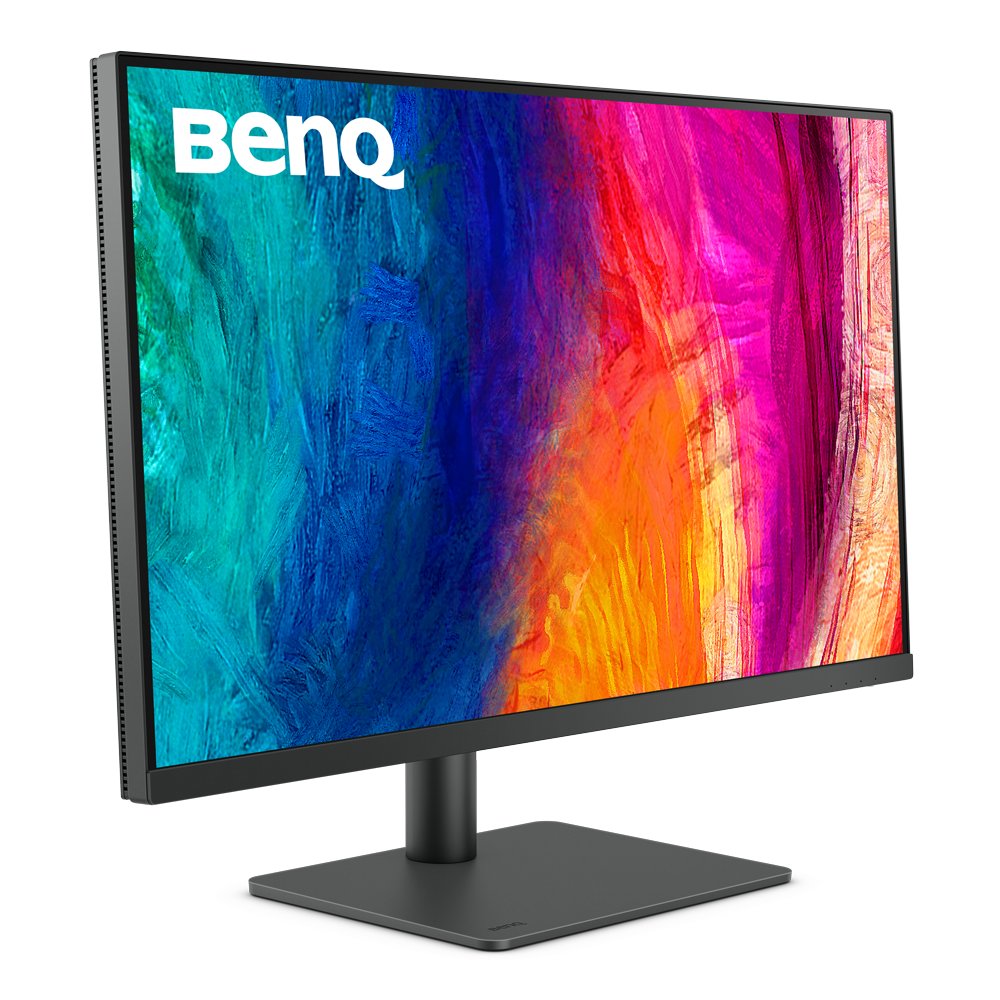
BenQ PD3205U is the best 32-inch 4k monitor for autocad drawings in this draft because it matches a specific AutoCAD workstation need instead of chasing a single generic spec. Drafters and designers who want more physical screen space for tool palettes, layouts, xrefs, PDFs, and side-by-side reference windows.
The source-backed spec profile is straightforward: 31.5-inch IPS, 3840 x 2160, 60 Hz, 250 nits typical, HDR10, 99% sRGB, 99% Rec.709, CAD/CAM mode, USB-C with 90 W power delivery. For AutoCAD, that combination matters because the work is mostly about clear linework, stable geometry viewing, room for palettes, and comfortable long-session reading. You do not need a high-refresh gaming display to draft well, but you do need enough resolution and a stand that lets the screen sit at a natural height.
Choose this monitor if your daily work matches that fit. Skip it if the tradeoff is a poor match for your desk: Large footprint; 32-inch 4K is comfortable for many users but may need deeper desk distance. If your AutoCAD work often expands into 3D mechanical modeling, compare this with our best monitor for SolidWorks guide.
Best USB-C hub monitor for AutoCAD office workstations: Dell UltraSharp U2723QE

Dell UltraSharp U2723QE is the best usb-c hub monitor for autocad office workstations in this draft because it matches a specific AutoCAD workstation need instead of chasing a single generic spec. Engineering desks that need a clean USB-C hub monitor for a laptop, keyboard, mouse, network, external storage, and a second display.
The source-backed spec profile is straightforward: 27-inch IPS Black, 3840 x 2160 at 60 Hz, 90 W USB-C power delivery, USB hub, 16:9 aspect ratio, 2000:1 contrast listed by Dell. For AutoCAD, that combination matters because the work is mostly about clear linework, stable geometry viewing, room for palettes, and comfortable long-session reading. You do not need a high-refresh gaming display to draft well, but you do need enough resolution and a stand that lets the screen sit at a natural height.
Choose this monitor if your daily work matches that fit. Skip it if the tradeoff is a poor match for your desk: Office and productivity strengths matter more than CAD-specific display modes. For laptop docking workflows, pair the monitor decision with the machine itself. Our SolidWorks laptop guide is useful for mobile workstation thinking even when your main CAD tool is AutoCAD.
Best color-focused AutoCAD monitor under a practical budget: ASUS ProArt PA279CRV
ASUS ProArt PA279CRV is the best color-focused autocad monitor under a practical budget in this draft because it matches a specific AutoCAD workstation need instead of chasing a single generic spec. AutoCAD users who also prepare renderings, presentation drawings, portfolio images, Adobe files, or documentation where color accuracy matters.
The source-backed spec profile is straightforward: 27-inch IPS, 3840 x 2160, 60 Hz, 350 cd/m2 typical brightness, 100% sRGB, 99% Adobe RGB, 99% DCI-P3, Calman Verified, USB-C with 96 W power delivery. For AutoCAD, that combination matters because the work is mostly about clear linework, stable geometry viewing, room for palettes, and comfortable long-session reading. You do not need a high-refresh gaming display to draft well, but you do need enough resolution and a stand that lets the screen sit at a natural height.
Choose this monitor if your daily work matches that fit. Skip it if the tradeoff is a poor match for your desk: A 27-inch 4K creative monitor, not a gaming display or a huge drawing board. If your display is only one part of a new desk build, our CAD desktop workstation guide covers the computer side of the setup.
Best value 27-inch 4K USB-C monitor for mixed AutoCAD use: LG 27UP850-W
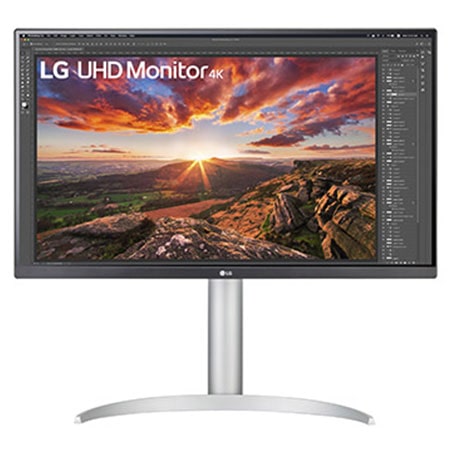
LG 27UP850-W is the best value 27-inch 4k usb-c monitor for mixed autocad use in this draft because it matches a specific AutoCAD workstation need instead of chasing a single generic spec. AutoCAD students, home-office users, and light professional workstations that need 4K clarity, USB-C, and an adjustable stand without workstation-monitor pricing.
The source-backed spec profile is straightforward: 27-inch UHD 3840 x 2160 IPS, VESA DisplayHDR 400, DCI-P3 95%, USB-C with high power delivery, height/pivot/tilt stand, AMD FreeSync. For AutoCAD, that combination matters because the work is mostly about clear linework, stable geometry viewing, room for palettes, and comfortable long-session reading. You do not need a high-refresh gaming display to draft well, but you do need enough resolution and a stand that lets the screen sit at a natural height.
Choose this monitor if your daily work matches that fit. Skip it if the tradeoff is a poor match for your desk: Less specialized for CAD than the BenQ and less hub-heavy than the Dell. For the input side of the same workstation, see our CAD mouse guide and CAD keyboard guide.
Comparison table
| Monitor | Best use case | Source-backed spec notes | Best reason to skip |
|---|---|---|---|
| BenQ PD2706U | AutoCAD users who want a sharp 27-inch 4K screen with CAD/CAM mode, USB-C docking, factory color modes, and a smaller desk footprint. | 27-inch IPS, 3840 x 2160, 60 Hz, 350 nits typical, HDR10 / DisplayHDR 400, 100% sRGB, 100% Rec.709, 95% P3, CAD/CAM mode, matte coating. | Costs more than basic office monitors and is not as spacious as a 32-inch screen. |
| BenQ PD3205U | Drafters and designers who want more physical screen space for tool palettes, layouts, xrefs, PDFs, and side-by-side reference windows. | 31.5-inch IPS, 3840 x 2160, 60 Hz, 250 nits typical, HDR10, 99% sRGB, 99% Rec.709, CAD/CAM mode, USB-C with 90 W power delivery. | Large footprint; 32-inch 4K is comfortable for many users but may need deeper desk distance. |
| Dell UltraSharp U2723QE | Engineering desks that need a clean USB-C hub monitor for a laptop, keyboard, mouse, network, external storage, and a second display. | 27-inch IPS Black, 3840 x 2160 at 60 Hz, 90 W USB-C power delivery, USB hub, 16:9 aspect ratio, 2000:1 contrast listed by Dell. | Office and productivity strengths matter more than CAD-specific display modes. |
| ASUS ProArt PA279CRV | AutoCAD users who also prepare renderings, presentation drawings, portfolio images, Adobe files, or documentation where color accuracy matters. | 27-inch IPS, 3840 x 2160, 60 Hz, 350 cd/m2 typical brightness, 100% sRGB, 99% Adobe RGB, 99% DCI-P3, Calman Verified, USB-C with 96 W power delivery. | A 27-inch 4K creative monitor, not a gaming display or a huge drawing board. |
| LG 27UP850-W | AutoCAD students, home-office users, and light professional workstations that need 4K clarity, USB-C, and an adjustable stand without workstation-monitor pricing. | 27-inch UHD 3840 x 2160 IPS, VESA DisplayHDR 400, DCI-P3 95%, USB-C with high power delivery, height/pivot/tilt stand, AMD FreeSync. | Less specialized for CAD than the BenQ and less hub-heavy than the Dell. |
How to choose the right AutoCAD monitor
Start with how you draw. If you mostly edit 2D details and layouts, prioritize text clarity, screen size, and comfort. If you often keep PDFs, spreadsheets, markup tools, and browser references beside AutoCAD, prioritize physical workspace and docking. If you also prepare renderings, marketing sheets, or color-sensitive presentation exports, prioritize color accuracy and factory-calibrated modes.
Do not overbuy for gaming specs. A fast refresh rate is nice for some uses, but AutoCAD drafting does not require 144 Hz to be productive. A stable 4K IPS display with good ergonomics is usually a better CAD purchase than a gaming monitor with a curved panel, weak stand, and aggressive styling.
Also check scaling. On Windows, a 27-inch 4K monitor often uses display scaling so text stays readable. That is normal. The benefit is still there because linework and text can look sharper, but your effective workspace depends on scaling, eyesight, and viewing distance. A 32-inch 4K monitor often lets users run slightly more usable workspace because the same pixels are physically larger.
Finally, think about the whole desk. A monitor is only one part of the workstation. A comfortable mouse, keyboard, chair, desk height, and proper lighting all affect CAD productivity. If you are upgrading from a weak setup, a balanced desk is better than one expensive monitor surrounded by awkward peripherals.
FAQ
Is a 4K monitor worth it for AutoCAD?
Yes, for most serious AutoCAD users. 4K resolution makes linework, text, dimensions, and drawing details look sharper, and it gives more room for palettes and references. The main caveat is scaling: choose a size and scaling setting that keeps text readable.
Is 27-inch or 32-inch better for AutoCAD?
A 27-inch 4K monitor is the safer default for most desks. A 32-inch 4K monitor is better if you want a larger drawing canvas and have enough desk depth. Choose 32-inch when you often keep many AutoCAD panels and reference windows open.
Do AutoCAD users need a color-accurate monitor?
Not always. For drafting, clarity and comfort matter more than extreme color accuracy. Color accuracy becomes more important if you also prepare renderings, presentation drawings, PDF packages, graphic layouts, or client-facing visuals.
Is USB-C important for an AutoCAD monitor?
USB-C is very useful for laptop users because one cable can handle display, charging, and peripherals. It is less important for a desktop tower, where DisplayPort or HDMI plus separate USB connections may be perfectly fine.
Can I use a gaming monitor for AutoCAD?
You can, but it is not always the best choice. A gaming monitor may have high refresh rate and low input lag, but AutoCAD users often benefit more from 4K resolution, ergonomic adjustment, clean text, USB-C docking, and a professional-looking panel.
Should I use two monitors for AutoCAD?
Two monitors can be excellent if you often keep AutoCAD on one screen and references, PDFs, email, spreadsheets, or browser tabs on the other. A single 32-inch 4K monitor can also work well if you prefer one large workspace.
Bottom line
The best monitor for AutoCAD is the one that makes drawings easier to read and the desk easier to use. For most users, that means a 27-inch or 32-inch 4K IPS display with a good stand, matte screen, predictable connectivity, and enough room for AutoCAD panels and reference documents.
Choose the BenQ PD2706U if you want the safest 27-inch professional-style pick. Choose the BenQ PD3205U if you want a larger 32-inch drafting canvas. Choose the Dell U2723QE if docking and office hub features matter most. Choose the ASUS ProArt PA279CRV if AutoCAD shares the desk with visual design work. Choose the LG 27UP850-W if you want a practical value-oriented 27-inch 4K USB-C monitor.


