Best Budget CAD Laptop
Disclosure: Some links may earn us a commission at no extra cost to you. We recommend products based on usefulness, fit, and research.
The best budget CAD laptop is not the cheapest laptop that can open AutoCAD once. It is the least expensive machine that still gives you enough CPU speed, RAM, graphics headroom, storage, screen quality, and cooling for the kind of CAD work you actually do. A student drawing parts, layouts, and assemblies for class does not need the same notebook as a professional SolidWorks user opening large assemblies all day, but a weak laptop can still waste hours through lag, fan noise, low memory, and a cramped display.
For budget CAD buyers, the sweet spot is usually a value gaming laptop or entry-level creator laptop with a modern Intel Core, AMD Ryzen, or AMD Ryzen AI processor, 16 GB of RAM at minimum, a dedicated NVIDIA or AMD GPU when 3D work matters, and enough upgrade room to reach 32 GB of RAM later. These machines are not the same as certified mobile workstations. They usually do not have workstation-class graphics drivers, business support, or high-end displays. But for AutoCAD, Fusion, Inventor, Revit coursework, SketchUp, light SolidWorks parts, PDFs, spreadsheets, and general engineering school use, they can be the practical way to get real performance without paying workstation prices.
If your work is mainly professional SolidWorks with large assemblies, simulation, or company support requirements, start with our best laptop for SolidWorks guide instead. If your work is mostly AutoCAD drafting, layouts, and light 3D, compare this guide with the best laptop for AutoCAD. If the computer will stay at one desk, a CAD desktop workstation may still give you more performance per dollar.
Quick Picks
| Product | Best fit | Main tradeoff | Current price |
|---|---|---|---|
| Lenovo LOQ 15 | Best overall value for mixed 2D and 3D CAD | The 15.6-inch FHD panel gives less vertical workspace than the 16-inch options. | |
| Acer Nitro V 16 ANV16-72-73EW | Best lower-cost 16-inch option | Gaming-laptop noise and battery life; verify that 16 GB is enough for your projects. | |
| MSI Katana 15 HX B14WFK-810US | Best QHD performance value | Performance-first chassis; portability, acoustics, and battery life are secondary. | |
| ASUS ROG Strix G16 G615JMR-AS74 | Best higher-performance 16-inch pick | Costs more than the three value picks and still lacks workstation-class graphics. | |
| ASUS TUF Gaming A14 FA401WV-WB94 | Best portable CAD-and-school option | Its 16 GB LPDDR5X memory is not upgradeable, which limits heavier future workloads. |
How to choose a budget CAD laptop
Start with the software and file size, not the laptop brand. For mostly 2D AutoCAD, the most important parts are CPU responsiveness, RAM, storage, screen quality, and a comfortable drafting setup. For 3D CAD, the GPU and cooling become more important. For light SolidWorks, Inventor, or Fusion assemblies, you want enough CPU speed, 16 GB of RAM at the absolute minimum, a dedicated GPU if possible, and realistic expectations. For professional SolidWorks, certified workstation graphics can matter for support and stability, so a budget gaming laptop should be treated as a compromise rather than a direct replacement for a workstation.
RAM is the easiest place to make a budget laptop feel less budget. If you can buy 32 GB at a fair price, do it. If you buy 16 GB, check whether the RAM is upgradeable. CAD, browser tabs, Teams, PDFs, spreadsheets, and background utilities can chew through memory quickly. Storage is similar. A 512 GB SSD can work for school, but 1 TB is much more comfortable if you keep local project folders, large downloads, installers, and reference files.
The display matters more than many buyers expect. A fast GPU does not help if the screen is dim, soft, cramped, or tiring. A 16-inch 1920-by-1200 or 2560-by-1600 panel is a useful shape because CAD palettes and drawings need vertical room. If you plan to work at a desk, budget for an external display too. A good monitor for AutoCAD, a comfortable CAD mouse, and a shortcut-friendly CAD keyboard can make a modest laptop feel much easier to use.
Do not buy only from the gaming spec sheet. RGB lighting, very high refresh rates, and aggressive styling do not make a laptop better for CAD. What matters is sustained performance, memory, screen clarity, port layout, noise, thermals, and whether the machine can stay responsive after a long work session. Budget gaming laptops can be great values, but they are not magic. If a laptop has a powerful GPU but only 8 GB of RAM or a poor screen, it may still be the wrong CAD buy.
For official baseline requirements, check your software vendor. Autodesk publishes AutoCAD system requirements, and Dassault Systemes publishes SOLIDWORKS system requirements. Those pages should be treated as the floor, not the ideal buying target. A laptop can meet minimum requirements and still feel slow when you open real projects, run multiple apps, or connect an external monitor.
Lenovo LOQ 15: best overall value

The Lenovo LOQ 15 is the strongest overall value in this group for students and early-career designers who split their time between 2D drafting and moderate 3D work. The checked configuration pairs an Intel Core i7-13650HX with GeForce RTX 5050 graphics, 16 GB of memory, a 1 TB SSD, and a 15.6-inch FHD IPS 144 Hz display. That is a balanced starting point for AutoCAD, Fusion, Inventor coursework, SketchUp, Revit learning projects, and light mechanical CAD without paying mobile-workstation prices.
The HX-series processor gives this machine useful CPU headroom for rebuilds, exports, multitasking, and larger drawing sets. The RTX 5050 is a gaming-class GPU rather than a certified workstation card, but it provides more 3D viewport and visualization flexibility than integrated graphics. The 1 TB SSD is also a practical minimum for a primary school or home-office computer because CAD files, installers, local references, and project exports accumulate quickly.
The compromise is the display. FHD is usable, but the 15.6-inch 16:9 panel provides less vertical room for palettes and drawing sheets than a 16-inch 16:10 screen. Plan on an external monitor for long desk sessions. Also confirm memory upgrade options before assuming that 16 GB will carry you through larger future assemblies. This exact listing was in stock and sold by Amazon.com when checked, but price and availability can change.
Acer Nitro V 16: best lower-cost 16-inch option

The Acer Nitro V 16 ANV16-72-73EW is the best lower-cost 16-inch option in the lineup. Its checked configuration uses an Intel Core 7 240H processor, GeForce RTX 5050 graphics, 16 GB of DDR5 memory, a 1 TB Gen 4 SSD, and a 16-inch WUXGA IPS 180 Hz display. The 1920-by-1200 16:10 panel is particularly useful for CAD because it gives drawings, model space, and tool palettes more vertical room than a typical 1080p screen.
This is a practical student and home-office machine for AutoCAD, Fusion, Inventor, Revit coursework, PDFs, spreadsheets, and light-to-moderate 3D assignments. The CPU and GPU are current enough to avoid the false economy of buying an old bargain laptop, while the 1 TB SSD gives enough room for normal project folders. It is not a certified workstation, so professional SolidWorks users who depend on supported graphics drivers should still look at the workstation guide.
The tradeoffs are typical of a value gaming laptop: fan noise under load, modest battery life, and a chassis designed around performance rather than boardroom use. Sixteen gigabytes is the minimum we would accept for a new CAD laptop. Check whether you can expand memory before buying if you expect larger assemblies, point clouds, Revit projects, or heavy multitasking. This exact model was in stock and sold by Amazon.com when checked.
MSI Katana 15 HX: best QHD performance value
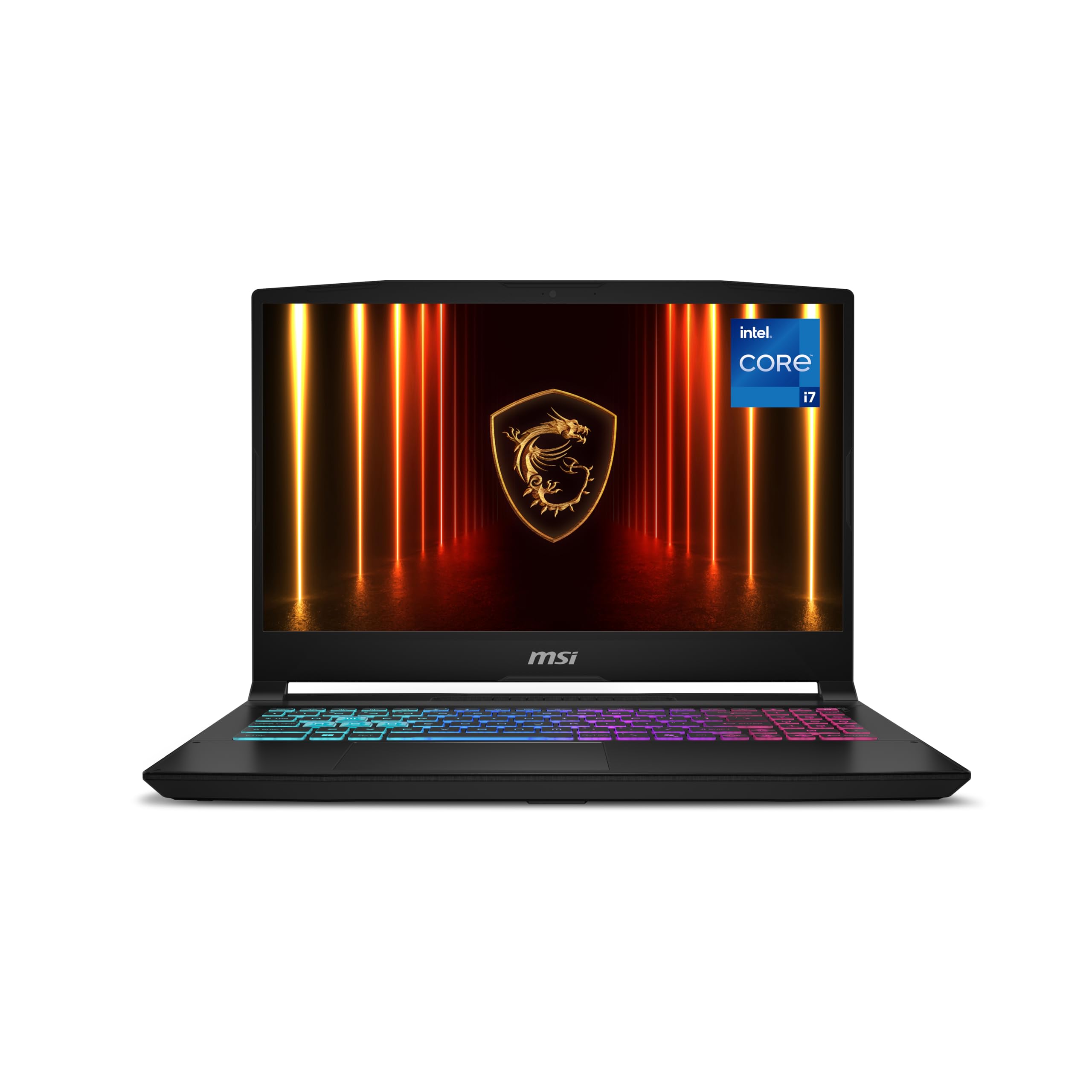
The MSI Katana 15 HX B14WFK-810US is the performance-value choice for buyers who want a sharper built-in display and more graphics headroom. The checked configuration combines an Intel Core i7-14650HX, GeForce RTX 5060 graphics, 16 GB of DDR5 memory, a 1 TB NVMe SSD, and a 15.6-inch QHD 165 Hz display. QHD resolution gives model edges, text, and drawing details more clarity than FHD, although Windows scaling still needs to be comfortable for your eyesight.
The HX processor and RTX 5060 make this the strongest value option for mixed CAD, visualization, rendering, and other GPU-assisted work. That does not turn it into a mobile workstation: the graphics card and drivers remain gaming-class. For students, freelancers, and makers who also use Blender, rendering tools, or games, however, the extra performance is easier to justify than it would be for someone who only edits 2D drawings.
The Katana is a performance-first design. Expect more fan noise and less unplugged runtime than a thin business laptop, and evaluate keyboard feel and build quality for long daily sessions. Sixteen gigabytes remains the weak point for larger projects, so confirm the memory upgrade path before treating this as a long-term heavy-CAD machine. The exact B14WFK-810US listing was in stock and sold by Amazon.com when checked.
ASUS ROG Strix G16: best higher-performance 16-inch pick

The ASUS ROG Strix G16 G615JMR-AS74 is the step-up choice when you want more CPU and graphics performance without moving into mobile-workstation pricing. The checked configuration includes an Intel Core i7-14650HX, GeForce RTX 5060 graphics, 16 GB of DDR5-5600 memory, a 1 TB PCIe SSD, and a 16-inch FHD+ 165 Hz display. The 16:10 panel is a better shape for CAD than a conventional 16:9 gaming screen because it leaves more room for toolbars, feature trees, and drawing sheets.
This model is suitable for mixed 2D and 3D CAD, more demanding viewport work, visualization, and students who also need strong general-purpose performance. The RTX 5060 provides useful headroom, but it is still not a certified professional GPU. Buyers whose employer requires a supported SolidWorks hardware configuration should use the workstation-laptop guide instead of treating gaming performance as a substitute for certification.
The main tradeoff is price. Once a gaming laptop approaches workstation territory, compare the total cost carefully and decide whether better support, memory, or professional graphics would matter more. The checked configuration also starts with 16 GB, so plan for 32 GB if your files are large or you keep many engineering applications open. This exact listing had strong review volume, was in stock, and was sold by Amazon.com when checked.
ASUS TUF Gaming A14: best portable option
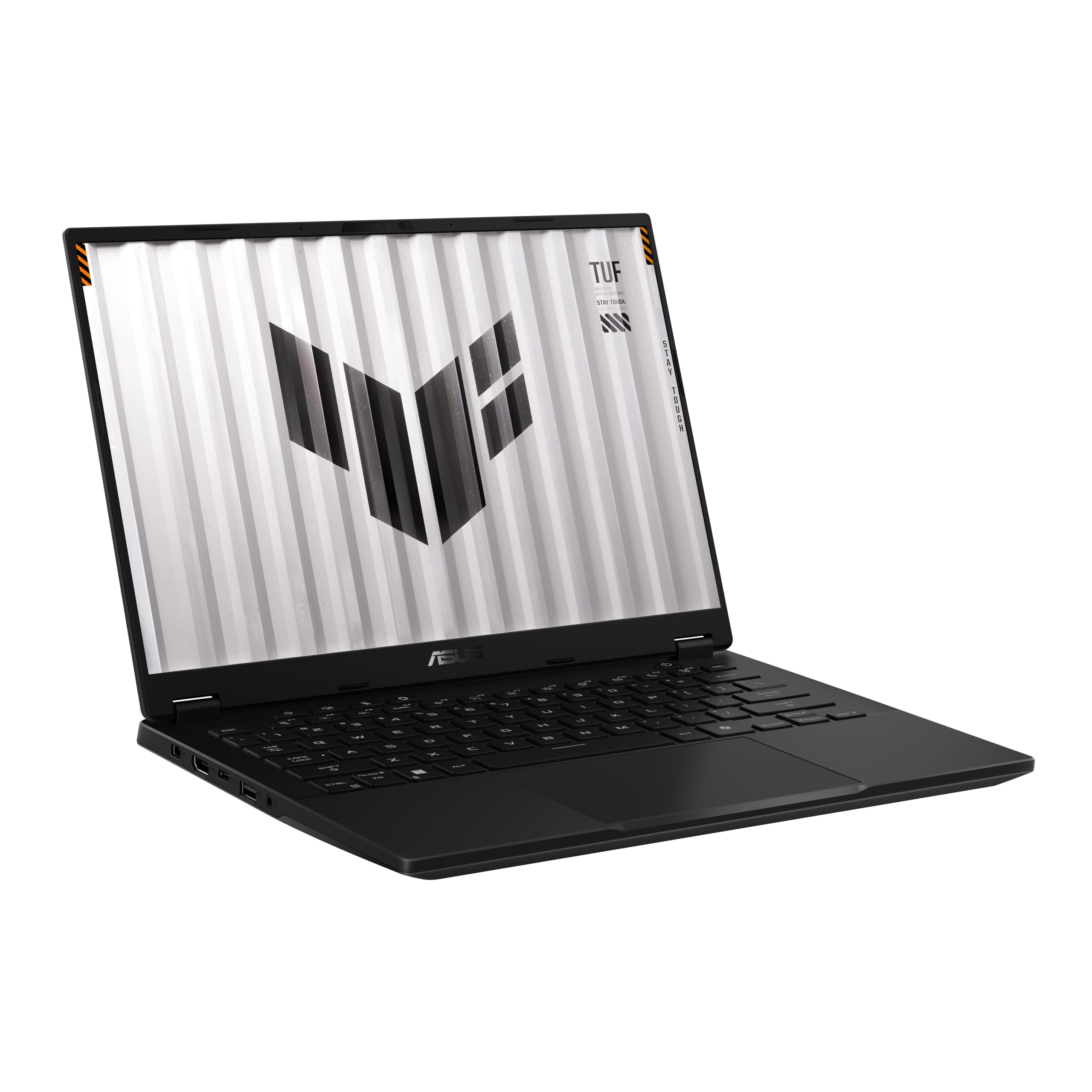
The ASUS TUF Gaming A14 FA401WV-WB94 is the portable choice for students and mobile designers who do not want to carry a 15- or 16-inch performance laptop every day. The checked configuration combines an AMD Ryzen AI 9 HX 370 processor, GeForce RTX 4060 graphics, 16 GB of LPDDR5X memory, a 1 TB PCIe 4.0 SSD, and a 14-inch WQXGA 165 Hz display. The high-resolution 16:10 screen gives CAD software useful workspace in a compact chassis.
This machine makes the most sense for users who move between class, office, home, and client sites, then connect to a larger display at a desk. Its processor and GPU are capable of more than simple 2D drafting, and the compact format is easier to carry than the other picks. The smaller screen is still a compromise for full-day drawing work, so an external monitor is a practical part of the setup rather than an optional luxury.
The critical limitation is memory: the 16 GB LPDDR5X is onboard rather than a normal upgradeable memory kit. That is enough for learning, 2D CAD, and moderate projects, but it reduces the machine’s long-term fit for larger assemblies and memory-heavy multitasking. Buy this model for mobility, not because it is the most expandable. The exact FA401WV-WB94 listing was in stock and sold by Amazon.com when checked.
Comparison Table
| Laptop | Best role | What to verify before buying | Who should skip it |
|---|---|---|---|
| Lenovo LOQ 15 | Overall value | Core i7-13650HX, RTX 5050, 16 GB RAM, 1 TB SSD, and memory upgrade options. | Users who need a high-resolution built-in display or certified graphics. |
| Acer Nitro V 16 ANV16-72-73EW | Lower-cost 16-inch CAD | Core 7 240H, RTX 5050, 16 GB RAM, 1 TB SSD, and 1920-by-1200 display. | Users who prioritize quiet operation, battery life, or premium construction. |
| MSI Katana 15 HX B14WFK-810US | QHD performance value | Core i7-14650HX, RTX 5060, QHD display, memory expansion, and fan behavior. | Users who value portability and battery life over sustained performance. |
| ASUS ROG Strix G16 G615JMR-AS74 | Step-up 16-inch performance | Core i7-14650HX, RTX 5060, 16 GB RAM, upgrade cost, and total price. | Buyers who can get a certified workstation for a similar total cost. |
| ASUS TUF Gaming A14 FA401WV-WB94 | Portable CAD and school use | Ryzen AI 9 HX 370, RTX 4060, 1 TB SSD, and fixed 16 GB memory limit. | Users who expect large assemblies or memory-heavy work later. |
Budget CAD laptop specs that matter
CPU: CAD still rewards responsive CPU performance. A modern Core, Ryzen, or Ryzen AI processor is more important than chasing the largest GPU if your work is mainly drafting, sketches, drawings, and moderate models. For rendering, simulation, or heavier multitasking, more cores and better cooling can help, but budget laptops often hit thermal limits sooner than desktops.
RAM: Treat 16 GB as the minimum for a new budget CAD laptop, not the ideal. For smoother multitasking and bigger projects, 32 GB is much better. If you buy 16 GB, check upgradeability before buying. Some thin laptops limit RAM expansion, and that can shorten the useful life of the machine.
GPU: A dedicated NVIDIA or AMD GPU helps with 3D viewports, real-time graphics, and general headroom. It does not automatically make the laptop a workstation. Certified GPUs and drivers are a separate question. If you rely on official SolidWorks support, be careful with gaming GPUs and check the software vendor’s guidance.
Storage: A 512 GB SSD can work, but 1 TB is safer. CAD users often accumulate installers, local project folders, sample files, PDFs, screenshots, render outputs, and backups. Slow or nearly full storage can make an otherwise decent laptop feel worse.
Display: A 16-inch 16:10 screen is helpful because the extra vertical room gives CAD palettes and drawings more breathing space. Brightness, sharpness, and viewing comfort matter. Color accuracy is nice, but for CAD drafting, line clarity and workspace comfort usually matter more than creator-grade color.
Ports and docking: Check USB-C, HDMI, Ethernet needs, power delivery, and external monitor support. A budget laptop often becomes much better when docked to a real monitor, mouse, and keyboard. Do not assume every USB-C port supports the same display or charging behavior.
Who should buy a budget CAD laptop?
A budget CAD laptop is a good fit if you are a student, hobbyist, early-career designer, small-shop user, or occasional CAD user who needs portability. It is also a good fit if your files are moderate and your money is better spent on a balanced setup: laptop, external monitor, mouse, keyboard, backup drive, and maybe a monitor arm.
It is not the best fit if CAD is your full-time billable work and downtime is expensive. It is also not ideal if you open large SolidWorks assemblies, need certified graphics, run simulation frequently, render all day, or depend on IT-supported hardware. In those cases, a mobile workstation or desktop workstation is easier to justify.
The most honest way to buy is to match the machine to the workload you actually have today, then leave enough upgrade room for the next two or three years. Do not buy a fragile bargain that cannot be upgraded. Do not overpay for a gaming laptop feature that does nothing for CAD. The value is in balance.
Also think about the full setup cost. A slightly cheaper laptop can become the more expensive choice if you immediately need more RAM, a larger SSD, a USB-C dock, a better mouse, or an external monitor. When two laptops are close in price, favor the one with the better screen, easier memory upgrade path, stronger cooling, and cleaner port layout. Those details make ordinary CAD work smoother every day, even when they do not look dramatic in a product title.
FAQ
Can a budget gaming laptop run CAD?
Yes, a good budget gaming laptop can run many CAD workflows, especially AutoCAD, Fusion, Inventor, SketchUp, Revit coursework, and light-to-moderate 3D work. The important caveat is that gaming laptops are not the same as professional mobile workstations. For large SolidWorks assemblies, strict support requirements, simulation, and professional reliability, workstation-class laptops are safer.
Is 16 GB RAM enough for CAD?
It can be enough for lighter work, school projects, and 2D drafting, but 32 GB is a better target if the budget allows. CAD rarely runs alone. Browser tabs, PDFs, spreadsheets, Teams, cloud sync, and background utilities all use memory. If you buy 16 GB, check whether the laptop can be upgraded.
Do I need a dedicated GPU for AutoCAD?
For basic 2D AutoCAD, CPU, RAM, storage, and display quality may matter more than a high-end GPU. For 3D work, larger drawings, multiple monitors, and longer-term flexibility, a dedicated GPU is useful. The best budget choice depends on whether you are drafting mostly in 2D or also doing 3D modeling and visualization.
Should I buy a desktop instead?
If you do not need portability, often yes. A desktop can offer better sustained performance, quieter cooling, easier upgrades, and more value. A laptop is worth paying for when you need to move between school, office, shop, home, or job sites.
What is the biggest mistake when buying a cheap CAD laptop?
The biggest mistake is buying the cheapest configuration with a familiar model name. Model names hide important differences. Always check the exact CPU, GPU, RAM, storage, display, and upgrade options. A good laptop family can still have a weak configuration.
Bottom line
The Lenovo LOQ 15 is the strongest overall value for mixed 2D and 3D CAD. The Acer Nitro V 16 is the lower-cost 16-inch choice, while the MSI Katana 15 HX offers the best balance of QHD clarity and performance. The ASUS ROG Strix G16 is the step-up performance option, and the ASUS TUF Gaming A14 is the portable pick for users who accept its fixed 16 GB memory limit.
The best budget CAD laptop is the one that matches your real workload, not the one with the loudest gaming spec sheet. Check the exact CPU, GPU, RAM, storage, display, and return policy before buying, and step up to a workstation-class laptop if your work depends on large SolidWorks assemblies, simulation, or certified graphics support.