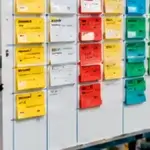
Andon in Manufacturing: Signals, States, and Response
An Andon system makes an abnormal condition visible and calls the person responsible for responding. The light, button, cord, board, or dashboard is only the signal path. Before choosing hardware, define what triggers the signal, who responds, how quickly the team acknowledges it, and what evidence allows the alert to reset.
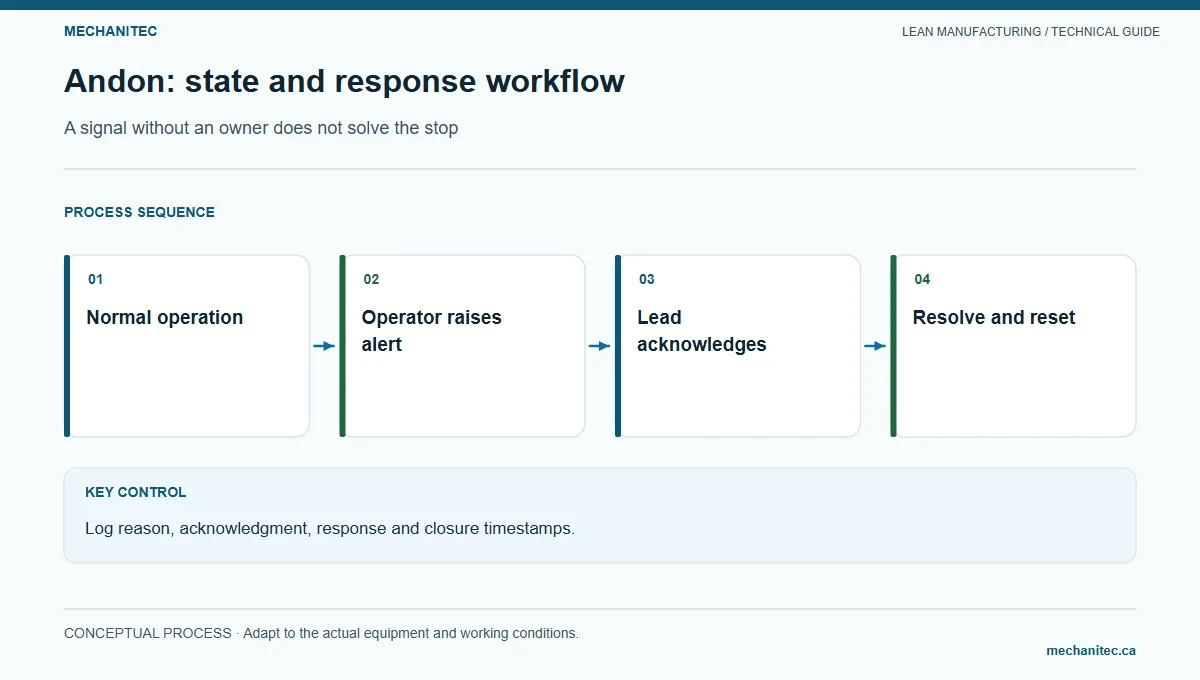
Define the status states
| State | Entry condition | Required response | Exit condition |
|---|---|---|---|
| Normal | Work is proceeding to the approved instruction and no help is needed | Operator continues standard work | A defined abnormality occurs |
| Help requested | Operator identifies a missing fixture, consumable, instruction, or immediate process concern | Cell lead acknowledges; records reason and time | Condition is corrected or escalated |
| Quality hold | Suspected defect, unclear acceptance, or revision mismatch | Contain affected work and notify authorized quality/engineering owner | Disposition and release are recorded in the controlled quality system |
| Equipment stop | Equipment failure or an unsafe condition requires work to stop | Use applicable emergency, safety, lockout, and maintenance procedures | Authorized inspection and safe return-to-service criteria are met |
| Escalated | Initial responder cannot resolve the issue within the agreed limit | Notify the next named owner and preserve the current safe state | Decision, action, and owner are recorded; affected work is released correctly |
Do not use one color to represent unrelated conditions unless workers can distinguish them clearly. A red signal must not imply that a quality hold is released when the lamp turns off. The site’s safety and quality systems remain authoritative.
Set triggers, acknowledgement, and escalation
Write triggers in observable terms. Examples include “welder needs a fixture correction,” “approved material is not at point of use,” or “inspection result is outside the acceptance criteria.” Avoid “operator is behind” without a condition that can be checked. Let workers request help without blame or penalty; otherwise, the signal will under-report real problems.
For each trigger, name the first responder, acknowledgement method, response expectation, backup owner, and escalation route. Set time limits based on the risk and the process cycle, then confirm that staffing can meet them. Do not promise a universal one-minute or five-minute response without validating local coverage.
| Event | Example time | Owner or record |
|---|---|---|
| Weld fixture alignment concern signaled | 09:12 | Welder requests help and holds the affected job |
| Signal acknowledged | 09:14 | Cell lead confirms the request and safe state |
| Technical owner engaged | 09:19 | Manufacturing engineering checks the approved fixture setup |
| Decision recorded | 09:31 | Fixture adjustment approved through the defined process |
| Work resumes | 09:38 | Required first-piece/quality checks are completed before continuation |
In this fictional example, acknowledgement took 2 minutes and resolution took 26 minutes from signal to documented decision. Report the exact event definitions and sample size. A few events do not establish a stable response-time expectation.
Choose a signal method that matches the work
| Method | Useful when | Limit to plan for |
|---|---|---|
| Lamp, cord, or call button | A local cell needs a quick, easy-to-see call for help | May not capture reason, owner, or resolution time without a simple log |
| Hour-by-hour board | The team needs planned-versus-actual status and visible help requests at a huddle | Requires a defined update owner and a safe place for the information |
| Digital dashboard or alert | Several locations need timestamped status, routing, or trend analysis | Depends on sensor and network reliability, access control, alert design, and a staffed response |
Start with the simplest method that workers can use reliably. Test false alerts, missed signals, power or network loss, alarm fatigue, and access to production data. A dashboard that no one watches does not create a response system.
Measure the response loop
- Signals by reason and workstation, with a clear reporting window.
- Time from signal to acknowledgement and from acknowledgement to safe disposition.
- Repeat causes, open escalations, and unresolved items at shift handoff.
- Quality or safety issues detected before the next operation, where the site tracks them.
- False or missed alerts and the system’s unavailable time.
Review trends with operators and responders. Use the data to remove recurring causes, not to rank individuals. Close a signal only when the condition is resolved or formally handed off; record the owner and next update when the work cannot yet resume.
For shift communication and issue ownership, use the manufacturing handoff guide. To connect equipment losses with a defined production window, see the OEE and equipment-loss guide.
Define a state that tells the next person what to do
An Andon signal makes a condition visible and requests a defined response. It can be a lamp, board, display, audible signal, or approved digital message. The signal does not diagnose a cause by itself, release product, or prove that a machine is safe. Before installing one, name the cell, operator roles, support roles, priority, acknowledgement method, and time limit for each response. Agree on the reason codes: quality, material, tool, machine, and safety are a useful starting set, but the site must map them to its actual work.
For a cell where an empty feeder can silently stop work, the operator needs to request material support while keeping the current production and quality status visible. A separate machine interlock or safety circuit may stop equipment when required; an Andon call is not a substitute for that engineered control. A supervisor should be able to distinguish “support requested,” “machine stopped by a control,” and “process authorized to resume.”
Use explicit state transitions and timeout rules
Use a small state model and define the actor and permitted transition for each step. The following sequence is an example: READY means no open call; CALL means the operator has selected a reason and the help request is visible; ACKNOWLEDGED means the assigned responder accepted ownership; CONTAINED means immediate product or process risk is controlled; RESOLVED means the cause has been addressed or routed and the operator has confirmed the work can resume under the approved procedure. The site may need additional states, but it should avoid one generic “green” indicator that hides unresolved conditions.
| State | Entry condition | Owner and visible information | Exit rule |
|---|---|---|---|
| READY | No active request. | Cell displays normal operating status. | Operator selects a reason when a trigger occurs. |
| CALL | Operator or approved sensor raises a request. | Show cell, reason, time, and requested support. | Assigned responder acknowledges within the agreed limit. |
| ACKNOWLEDGED | Named role accepts the request. | Display responder or role and response time. | Responder arrives or contacts the cell and records the next action. |
| CONTAINED | Immediate safety or quality exposure is controlled. | Show hold, stop, or boundary information required by local procedure. | Authorized role verifies the corrective path and release condition. |
| RESOLVED | Cause is addressed or formally assigned; restart criteria met. | Record action, disposition, and resolution time. | Operator confirms readiness; only then clear the call to READY. |
Define a timeout for acknowledgement and a separate timeout for escalation. For example, a site may route an unacknowledged material call to a team lead after two minutes and to a supervisor after a further interval. Those sample intervals are illustrative, not universal. Set limits according to cell risk, distance, staffing, and the time before a downstream impact. When a call times out, preserve the original timestamp and escalation history rather than resetting the clock.
Work through one response with a visible clock
In a fictional example, an operator raises a material call at 7:42 because a feeder bin is empty. The board shows the cell, part identifier, reason, and call time. A material handler acknowledges at 7:45, so acknowledgement latency is 7:45 − 7:42 = 3 minutes. The handler confirms the correct part and revision, replenishes the approved quantity, and records completion at 7:54. Resolution latency is 7:54 − 7:42 = 12 minutes; response travel after acknowledgement took 9 minutes. The operator verifies the material status and clears the call according to the site’s rule.
The incident record should include what triggered the call, whether the machine stopped, quantity and status of affected work, who acknowledged it, arrival and resolution times, any escalation, and the authorized restart condition. If the feeder was empty because the prior replenishment card was not collected, record that process condition rather than blaming the operator who raised the call. A recurring issue becomes a separate problem-solving item with an owner and follow-up date.
| Event | Time | Measure | Record |
|---|---|---|---|
| Call raised | 7:42 | Start of acknowledgement and resolution clocks | Cell, material code, part/revision, current work status |
| Responder acknowledges | 7:45 | 3 minutes to acknowledge | Responder role and accepted ownership |
| Material restored, criteria checked | 7:54 | 12 minutes to resolve; 9 minutes after acknowledgement | Quantity, stock status, action, operator confirmation |
Calculate acknowledgement time as acknowledgement timestamp minus call timestamp. Calculate resolution time as resolution timestamp minus call timestamp. Report both the count of calls and the time distribution; an average can hide a few very long delays. Separate by reason and cell only when the sample supports a useful comparison. Do not use response time alone to reward speed if a fast response can bypass quality, safety, or material verification.
Choose a signal method that fits the work
A lamp or board is easy to notice across a noisy floor but may not carry enough detail. A digital message can include the reason and timestamp but may be missed if the screen is out of view or the network fails. An audible alert can help in a large area but can create noise and fatigue if every minor condition sounds the same. Select the method with operators, maintenance, material handling, and safety; test visibility and audibility at the actual work position and during normal noise and lighting conditions.
Specify the board’s minimum content: cell identifier, active state, reason, time raised, acknowledgement state, responder role, escalation state, and reset status. If it displays production counts or quality status, define the source and refresh delay. Provide a manual fallback for power, network, sensor, or display failure. The fallback should preserve the call, timestamp, owner, and resolution record so that the team can reconstruct what happened after service returns.
Validate false calls, missed signals, and safe resets
Before rollout, test each trigger with a safe, authorized simulation. Confirm the correct cell appears, the reason is understandable, the intended responder receives it, timestamps are captured, escalation occurs when expected, and the operator can see that help is on its way. Test sensor faults and communication loss separately. Define who can reset the signal; an automatic reset after a timer can hide an unresolved problem and should not be used unless the process owner has validated it.
A green tower lamp does not prove safe operation or acceptable product. Keep machine safety functions, quality release, and Andon support requests distinct. A quality call may require stopping the process and placing product on hold under the control plan; a general help signal does not itself contain material. If the signal is ignored, frequently false, or reset without a documented condition, pause scaling and correct the trigger, ownership, training, or escalation path first.
Start with one cell, record calls for a defined pilot period, review missed and duplicate calls, and ask operators whether the signal helped them get the right support. Assign one owner for the state definitions and board content. Keep the status model controlled when staffing, layout, reason codes, or equipment changes, and explain the updated behavior to every affected shift.
Keep reason codes useful and reviewable
Limit the initial reason list to conditions that lead to a different response. A material call routes to material handling; a quality call routes to the authorized quality response; a tool or machine call routes to the assigned technical owner; a safety call follows the site’s urgent procedure. If users cannot select a reason confidently, provide an “other—describe” route and review it weekly. Do not add a long list before the team has evidence that the distinction changes the action.
Assign the process owner to review signal uptime, missed acknowledgement, duplicate calls, reset without resolution, and repeated causes. A high call count can mean that the signal is being used correctly to surface hidden problems. Interpret it with the underlying condition and response record rather than treating fewer calls as automatic improvement. Keep example reason codes and escalation contacts visible at the cell, and review them with each shift after a layout or staffing change.
Plan for signal and sensor failure
Assign an owner to check the signal device, board visibility, network or power dependency, and manual fallback at a defined interval. A sensor that is stuck, disconnected, or out of calibration can create a missed call or repeated false alert. Test these failure modes using an approved simulation and record the result. During a fault, operators need a known way to request help and identify the cell without assuming the display is current. The fallback record should capture the call time, reason, responder, escalation, containment, and restart authorization. Restore the electronic log through the approved process after service returns, preserving the original event times rather than reconstructing them from memory.
Source
- Lean Enterprise Institute: Andon — describes Andon as a visual status and abnormality signal that summons a quick response.