Home » Apply Lean Product Development to CAD Engineering Work
Apply Lean Product Development to CAD Engineering Work
Contents
Software Agile meetings can help a software team coordinate work, but they do not by themselves control a manufacturing engineering release. CAD tasks carry dependencies that matter to a physical product: a drawing must match its revision, manufacturing and quality must review critical characteristics, and a released file must reach the right production systems. Applying Lean to engineering means improving how useful technical knowledge moves from request to approved release.
This guide shows how to map an engineering queue, set workable limits on active tasks, pull reviews when needed, and protect release controls. The example board is illustrative. Its values do not predict a team’s actual throughput or guarantee a shorter product-development cycle.
Engineering flow requires visible dependencies and a controlled release gate for each design change.
Separate engineering flow from software Agile
Some practices transfer well across knowledge work: visible work, short coordination meetings, small batches, clear owners, and regular review. The physical context changes the controls. A sprint board can organize design tasks, but it cannot replace drawing revision control, design verification, customer approval, material compatibility review, or production qualification.
Lean product and process development focuses on creating and using knowledge. The Lean Enterprise Institute describes practices such as developing responsible expert teams, exploring alternatives, synchronizing workflows, and delaying decisions until enough evidence is available. That approach differs from treating every engineering task as an independent software story with a fixed estimate and a single definition of “done.”
Use an engineering board to show where work is, what is needed next, and which decisions are blocked. Use the organization’s formal document and change systems for controlled records. Do not store authoritative CAD files or approvals only in a task board or chat thread.
Map the request-to-release path
Choose one class of work, such as a tooling request, product revision, or manufacturing change. Define the start event (for example, a complete engineering request is accepted) and the finish event (the approved revision is released to the named production systems). List required steps and decision roles: requester, design engineer, manufacturing engineer, quality, procurement, safety or regulatory reviewers where relevant, customer approver when required, and document control.
For each request, record complexity, priority reason, request date, complete-information date, design start, review entry and exit, blocked hours, rework loops, and release date. Keep “time in active design” separate from “time waiting for a decision” and “time waiting for missing information.” An end-to-end average alone will not show where the queue forms.
Baseline a representative set rather than selecting only simple jobs. Include a range of complexity and note special approvals or supplier dependencies. If the work types are too different, stratify them instead of forcing them into one average. An engineering change to a controlled product may not be comparable with a drawing cleanup or a one-off fixture design.
Use work-in-progress limits carefully
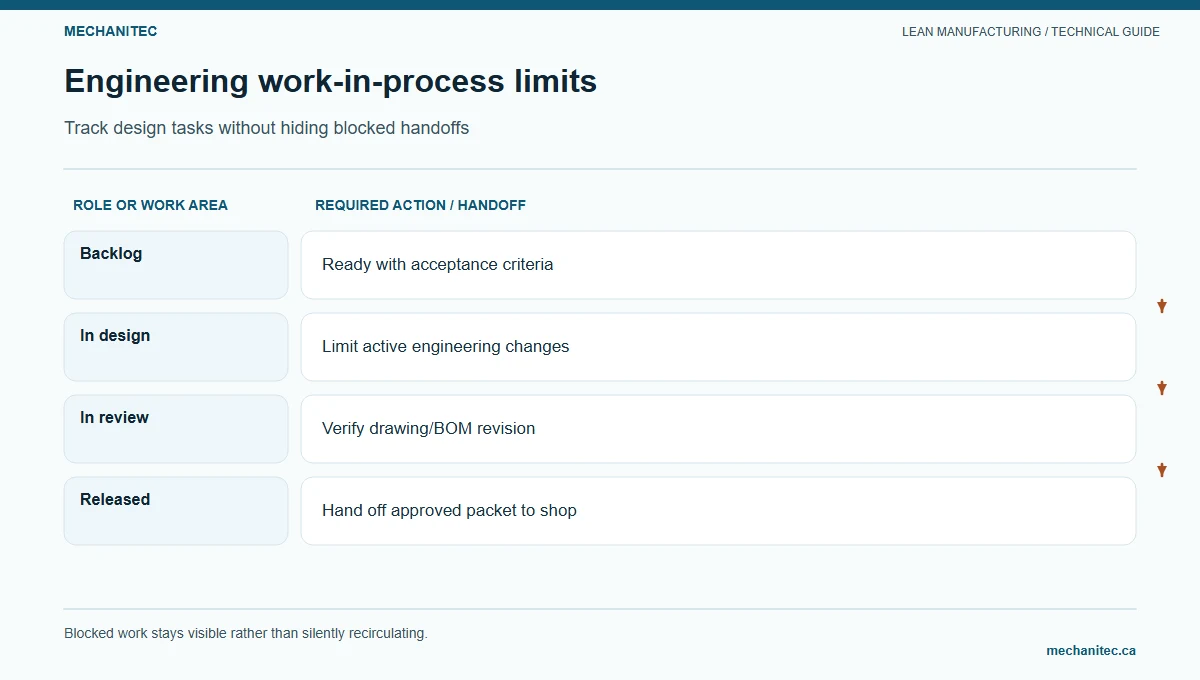
Too many active tasks can increase context switching and leave reviews incomplete. A WIP limit makes the amount of active work visible and creates a prompt to finish, unblock, or renegotiate priority before starting another task. Set the first limit with the engineers and reviewers who will use it; avoid importing a number from another department.
Count work in progress by state and role. “Design” might require a limit for each engineer, while a shared “waiting for manufacturing review” column might need a team-level limit. If a reviewer is overloaded, lowering each engineer’s WIP may not resolve the bottleneck; the team should make the review queue visible and clarify when a review is ready.
When the limit is reached, do not hide work or start a parallel personal list. The next task should be to complete an item, remove a blocker, or get a decision on priority. Exceptions may be necessary for safety, quality, or customer-critical work; record the reason and who approved the exception so the system can learn from repeated urgent changes.
Pull reviews and coordinate dependencies
A review should start when the design package meets an agreed readiness condition, not simply because a calendar slot arrived. Define what the reviewer needs: current CAD and drawing revision, design intent, affected interfaces, tolerance decisions, expected process route, unresolved risks, and specific questions. If the package is incomplete, return it with the missing fields and an owner rather than running a vague meeting.
Daily triage can be brief. Review new requests, blocked tasks, review-ready packages, and changes that affect a planned release. Use a design review for technical decisions that require discussion; use the board for status. Identify design-for-manufacturing feedback early enough to influence the design, then document how the team addressed the feedback.
Physical material Kanban and engineering task flow are related but distinct. Material replenishment cards signal the need to replenish a defined item under a controlled process. An engineering board shows work, knowledge, and decisions. An engineering task should not be “pulled” into design if critical inputs are missing or if the team has not confirmed capacity and priority.
Illustrative eight-item engineering board
Illustrative example — not observed project performance. A small engineering group is reviewing eight open requests. The sample assumes each item has one accountable engineer and a shared manufacturing review. Blocked time is hours the item cannot progress because an external answer or decision is pending.
Illustrative CAD engineering work board sample
Item
State
Blocked hours
Next required action
A
Design
0
Complete tolerance review with manufacturing
B
Waiting for customer input
16
Requester obtains missing interface dimension
C
Ready for review
0
Quality reviews inspection characteristic
D
Design
0
Confirm material and supplier capability
E
Blocked
24
Product owner decides between two package options
F
Validation
0
Record test result against the approved requirement
G
Blocked
8
Manufacturing engineer confirms machine envelope
H
Released
0
Verify release reached the controlled production repository
Three of the eight requests are marked blocked in this example. That is a status, not a performance verdict. The team should check whether each blocked item has a specific question, named decision owner, next contact date, and visible effect on downstream work. If an item waits 16 hours, confirm whether that is staffed time, elapsed time, or both before comparing it with another task.
For a rough flow-time summary, use elapsed days from the agreed start event to the release event for each completed item. For a completed sample of four tasks taking 5, 6, 9, and 12 elapsed days, the arithmetic mean is (5 + 6 + 9 + 12) ÷ 4 = 8 days. The median is (6 + 9) ÷ 2 = 7.5 days. These hypothetical values show the calculation only; a small, mixed sample does not establish a reliable forecast. Report the item types, range, and sample size beside any average.
Do not convert a team’s average into an individual quota. Engineering work varies with technical risk, interfaces, approval requirements, and how complete the request is at intake. Use complexity categories only when people agree on what distinguishes them, and revisit the categories when new work no longer fits. The purpose is to compare similar work and expose queue causes, not to rank engineers.
Record blocker time as calendar or staffed hours consistently. Note when the clock pauses, who owns the next answer, and whether the engineer can advance another task while waiting. The record should show both elapsed delay and any actual idle time; those measures answer different capacity questions.
For eight open requests, the group might try a temporary WIP limit of two active design tasks per engineer and a shared limit of three review-ready packages. These are invented starting values. The team should test whether the limits improve completion and reviewer flow without leaving urgent quality or customer work unhandled. If the review queue remains full, the bottleneck may be reviewer capacity or package readiness rather than excess design activity.
Use a task card and blocked-work policy
A task card should help the next person understand the work without replacing the controlled engineering record. Include a short request description, product or equipment family, requester, accountable engineer, current state, priority reason, required inputs, review roles, linked document identifiers, next action, due date, and blocker owner. Add a risk or approval note if the change can affect safety, compliance, customer fit, process validation, or product traceability.
For blocked work, name the exact decision or input needed. Set a review date and an escalation route. If no answer arrives by that date, the engineering lead contacts the decision owner and asks whether to defer, change scope, or elevate the decision. Do not keep a task active merely to make utilization look high; return it to a waiting state when the engineer cannot make progress.
When work is reprioritized, record what moved and why. Frequent emergency changes can make a planned cadence meaningless. Review the source of those changes with product management and operations. The goal is not to reject urgent work; it is to make the cost and dependencies visible and decide who has authority to interrupt existing commitments.
Protect the release gate
Before a design is released, confirm the current revision, required technical approvals, verification evidence, manufacturing feedback disposition, quality requirements, and destination systems. The release checklist should reflect the product’s actual controls and applicable standards. This article does not define a universal engineering approval set.
Use change control for revisions after release. Identify affected drawings, bills of material, routings, inspection plans, supplier documents, work instructions, and inventory where applicable. Tell each downstream owner what changed and when the new revision becomes effective. Keep the prior approved version accessible according to the site’s retention rules.
A faster board does not prove that engineering flow improved if downstream errors increase. Review engineering lead time alongside release defects, change-related rework, late manufacturing questions, and missed approval gates. If a balancing measure worsens, pause and investigate before raising the WIP limit or pushing more work forward.
Start with a two-week learning cycle
Choose one request type and define start, finish, and “blocked” states.
Map review roles and controlled release records.
Sample completed and open requests across a representative mix.
Identify the longest queue and verify why work is waiting.
Agree on an initial WIP limit and an exception rule with the team.
Run short daily triage and pull reviews only when packages are ready.
Track blocked hours, rework, and guardrails using consistent definitions.
At two weeks, keep, revise, or stop the board rules based on the evidence.
Start by recording the current queue state and blocked reason for every open request in the selected class. That snapshot gives the engineering team a baseline it can review without confusing activity, utilization, and completed value.